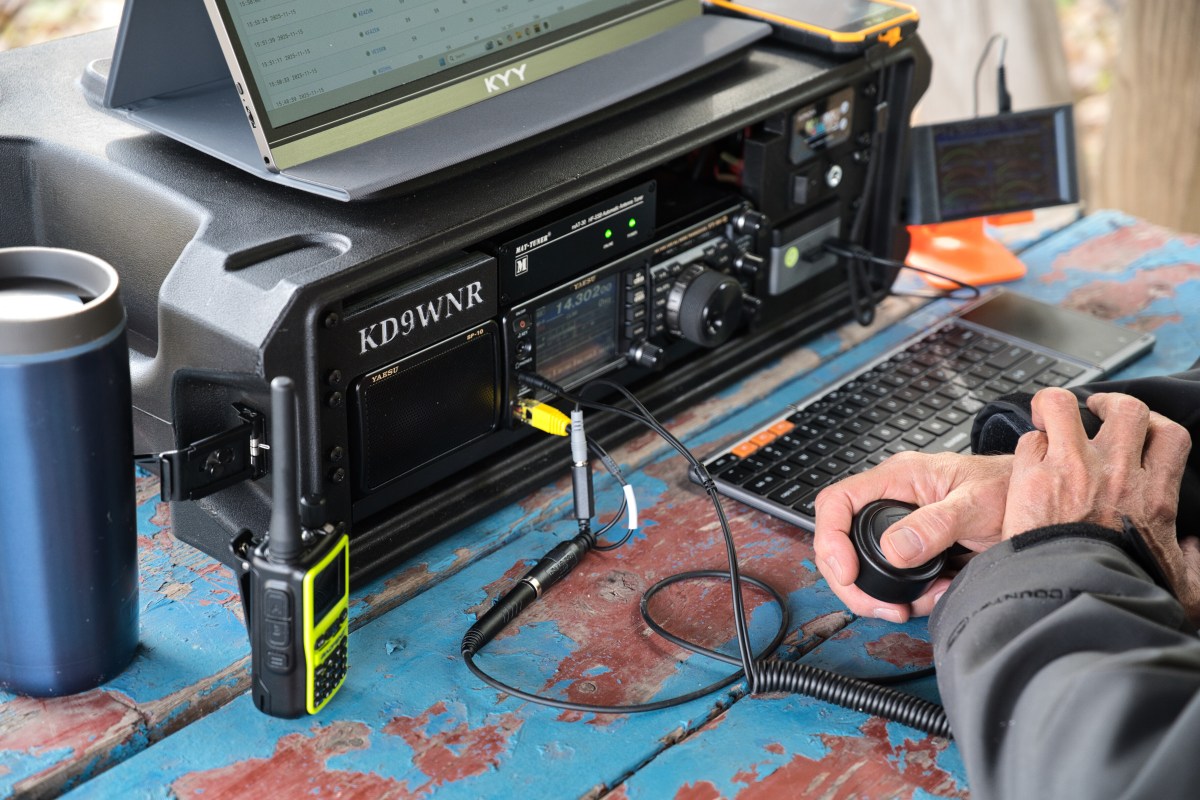
Ham Radio Go-Box

A ham radio go-box is a portable, self-contained communications station designed for rapid deployment in the field. It typically includes a transceiver, power source, antenna connections, and essential accessories—all pre-wired inside a rugged case for easy transport and setup.

Go-Boxes have a wide appeal in the Amatuer Radio hobby among Hams that like portable operations. Hams that do POTA Activations, participate in Field Days, and even “preppers” all have an interest in a grab-and-go kit to get a station on-the-air quickly almost anywhere.

First step is to determine where and what your Go-Box will be used for primarily. A POTA station may need totally different transceiver capabilities from an Emergency Communication (EmComm) station. The choices are many…

  • Emergency Communications (EmComm): Supports RACES, ARES, CERT, and Skywarn operations.
  • Recreational Field Ops: Perfect for POTA (Parks on the Air), SOTA (Summits on the Air), and Field Day.
  • Training & Outreach: Great for demos, scout events, and community preparedness.

Maybe you have an “extra” transceiver you’ve decided to put into a Go-Box, or designing one from scratch… Either way, you’ll need to decide on a Radio first, and then decide on what you want connected to it…

  • What kind of Battery? How Big?
  • Do I need a Power Supply (if 115v is available)
  • Do I need a Computer port or should I have a PC Built-In?
  • Do I need an Antenna Tuner?

Once you’ve decided all the stuff you want or need to get “in the box”… It’s time to pick a Box. Ham radio go-boxes are commonly built using rugged, customizable cases like Pelican, Nanuk, and Gator rackmount cases. These offer durability, modularity, and protection for sensitive radio gear in field conditions. But a lot of creative folks make go-boxes out of Ammo Cans and Picnic Coolers.

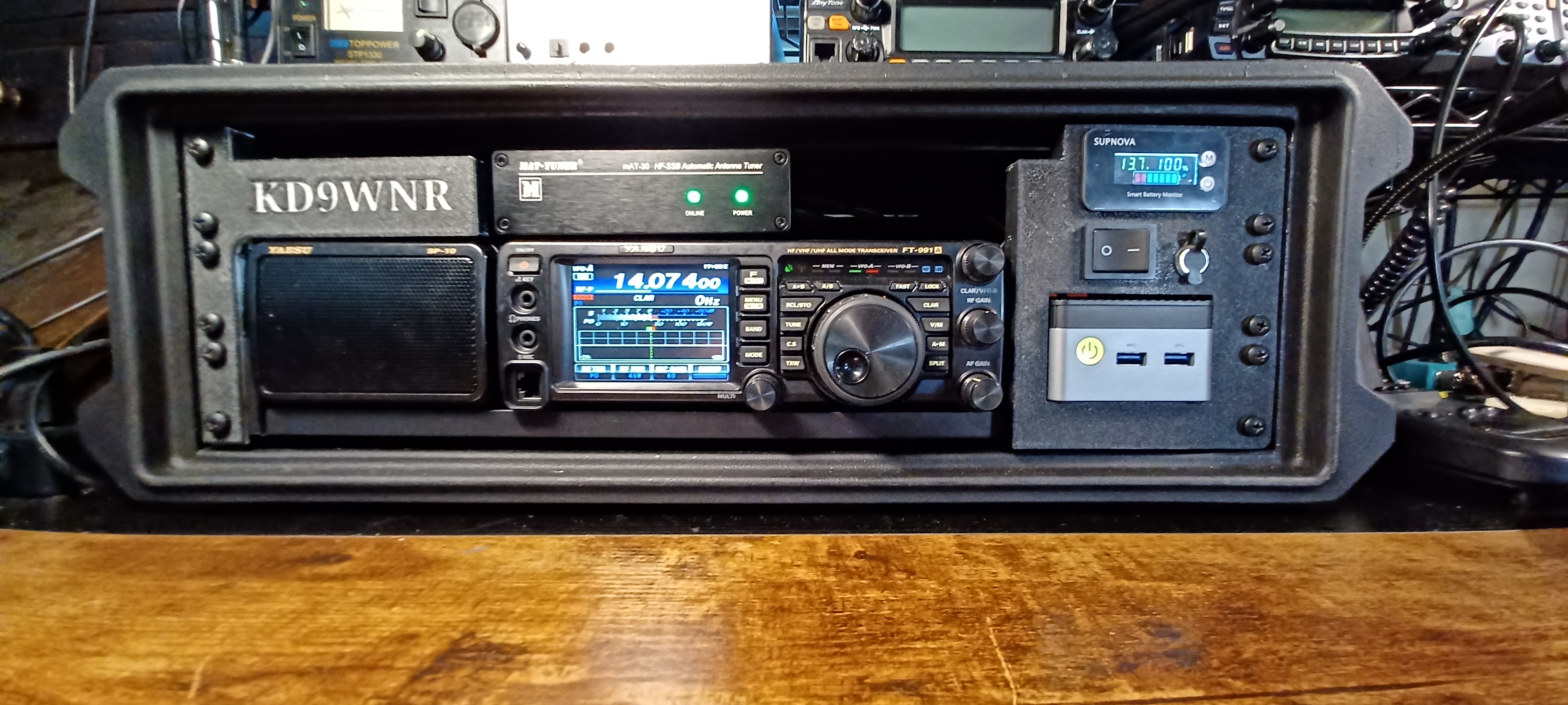
My first Transceiver was a Yaesu FT-991A; I later picked up a classic Kenwood TS-2000 that replaced the Yaesu as my primary Shack Radio, so I decided to re-task it for portable use.
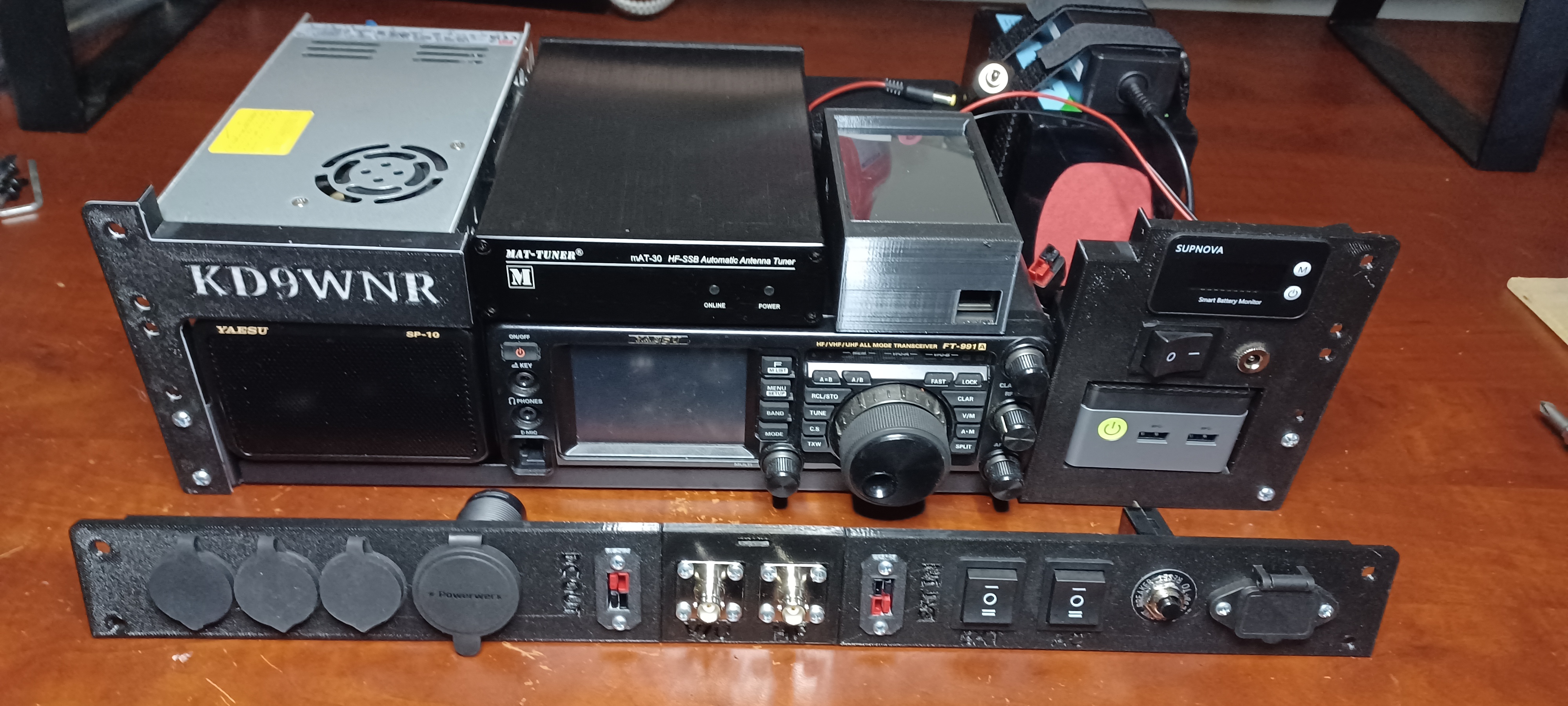
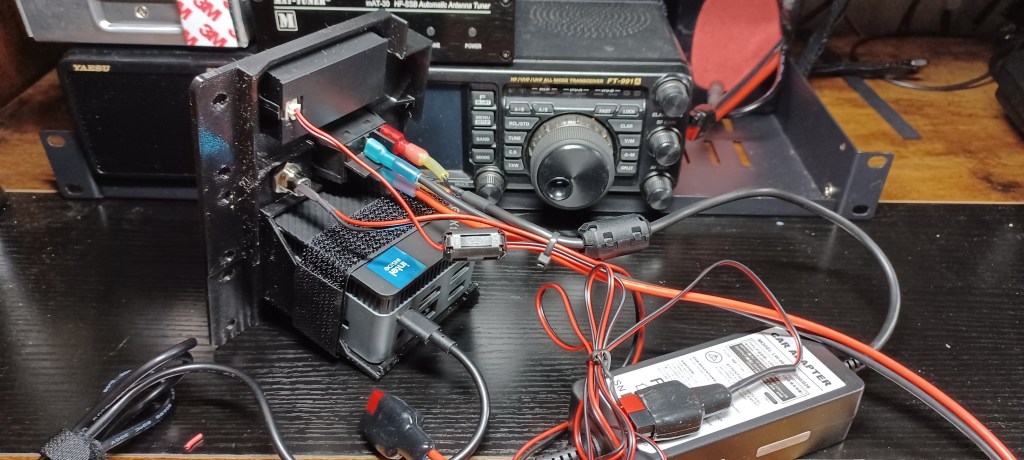
Here’s a peek at what’s inside my Go-Box… It all fits inside a Gator G-Pro 3U Shallow (13″) Rack Case:

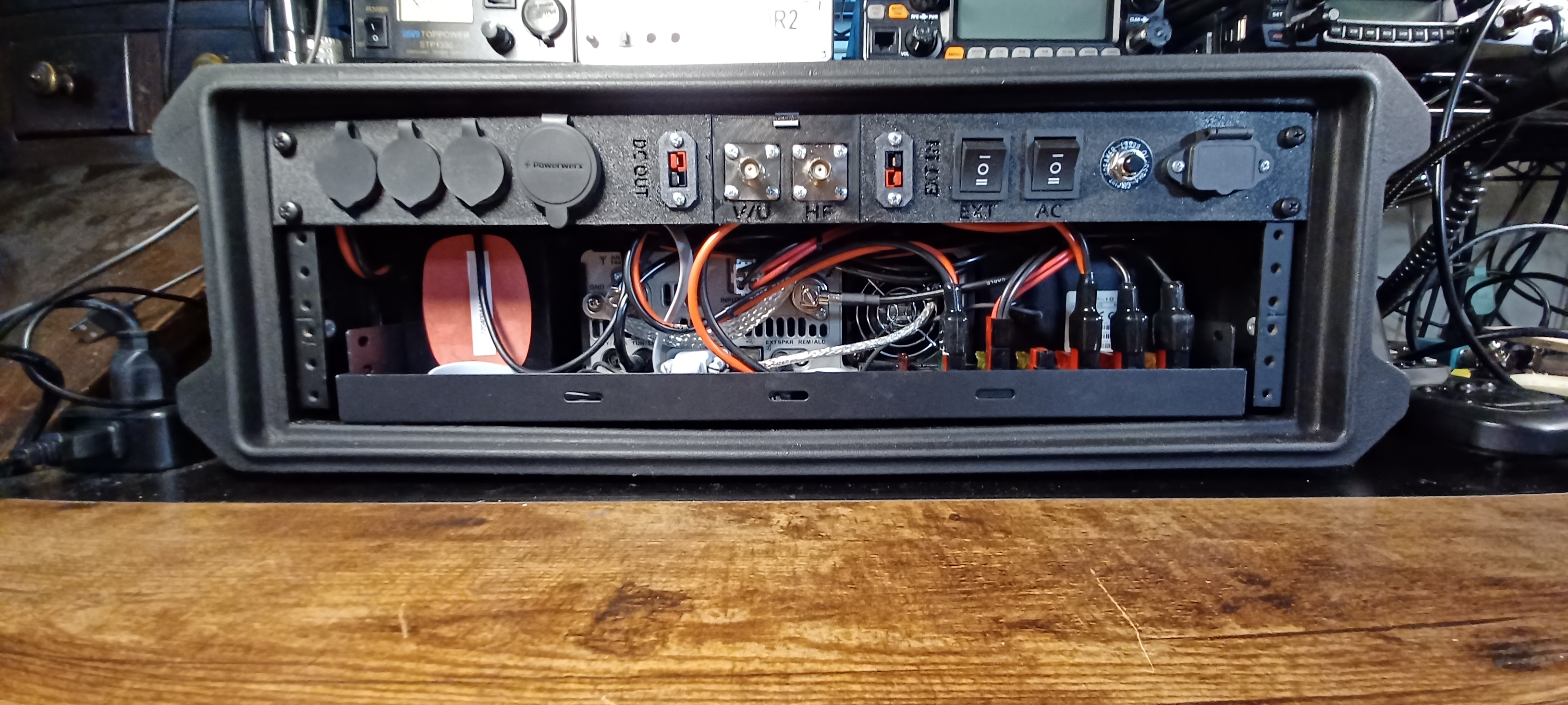
The 1U Rear Panel is 3D Printed. The STL files and details on the components used are here: https://www.printables.com/model/1485996-1u-go-box-rack-panel

Looking from the rear… There’s a USB Port connected to a Bi-Directional USB Switch. The Switch is also connected to the Mini PC and the USB Data Port on the FT-991a; This allows easy switching of the transceiver from the internal PC to an external Laptop or other device. Next to that is an HDMI Port extended from the Mini PC, and an RJ-45 Jack that connects to the transceiver CAT Port. The larger port is a Powerwerx 65W USB A/C Charger.
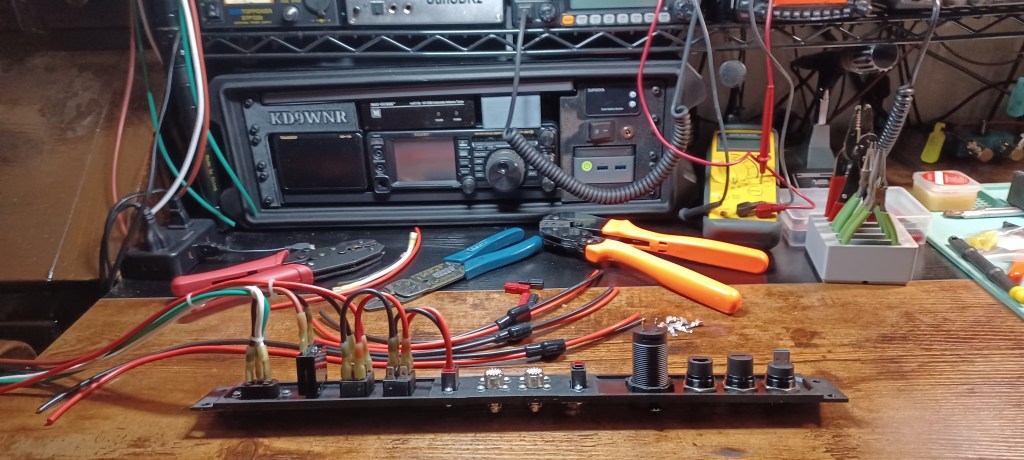
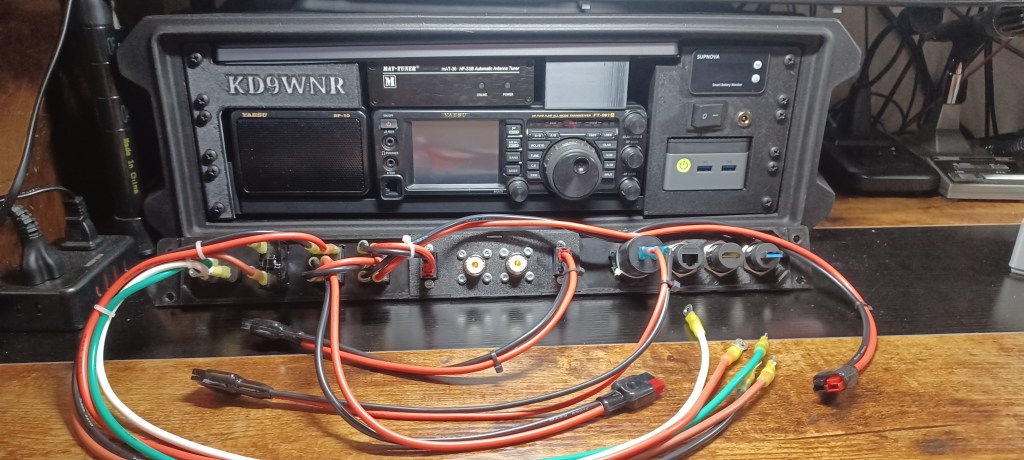
In the center are the Antenna Connectors, and Power Pole connections for an external DC source (IN), and Power Poles to power other devices (OUT) from the source selected on the Go-Box.

Starting on the right side, there’s an IEC 320 C14 Socket for a standard AC Power Cord. The Circuit Breaker is in-line to the Power Supply. The two Rocker Switches are used to switch Primary Power Source between AC or Battery, and Internal or External Battery.

A list with hyperlinks to all the components described above can be found, with the 3D Print files here: https://www.printables.com/model/1485996-1u-go-box-rack-panel 
What Makes a Go Box So Great

  • All-in-One Portability
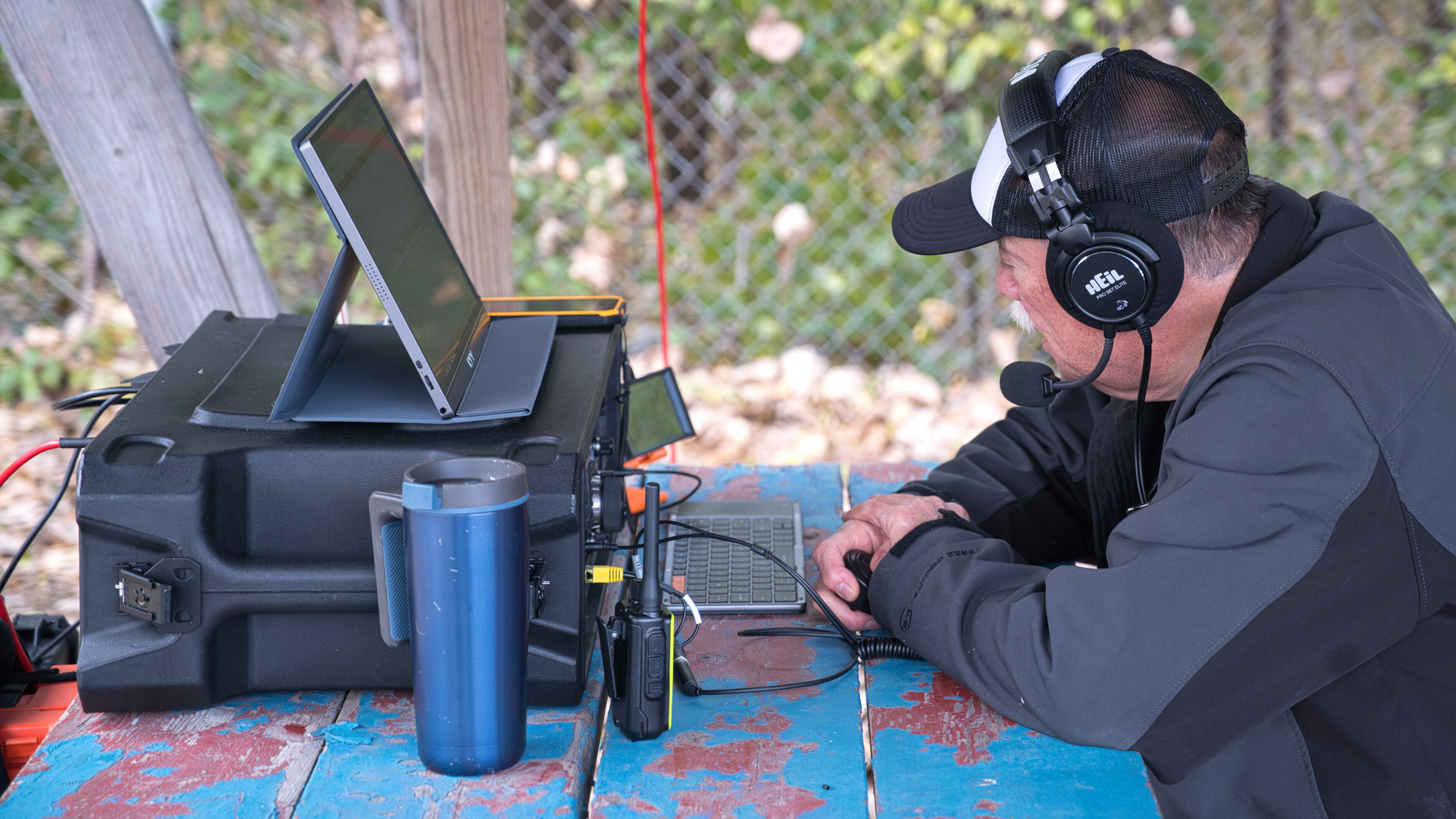
    A go box packs radios, power, antennas, and accessories into a single rugged case—ready to deploy at a moment’s notice. Whether it’s a Pelican case, ammo can, or rack-mount system, it’s built for grab-and-go reliability.
  • Independent Power
    Most go boxes include LiFePO4 batteries, solar charge controllers, or DC power distribution, so you’re not reliant on the grid. That’s critical during blackouts, wildfires, or hurricanes.
  • Infrastructure-Free Communication
    Unlike cell phones or internet-based systems, ham radio doesn’t need towers or service providers. You can reach local responders on VHF/UHF or go global on HF—even when the grid is down.
  • Custom-Built for Mission Profiles
    Whether you’re doing Parks on the Air, storm spotting, or EmComm deployment, your go box can be tailored to your exact needs: APRS, digital modes, weather monitoring, or even mesh networking.
  • Field-Tested Readiness
    A well-designed go box isn’t just a showpiece—it’s meant to be used. Regular testing and real-world drills ensure it performs under pressure, not just on paper.
  • Training & Outreach Tool
    For Elmers, a go box is a powerful teaching aid. It shows new Hams how to build, operate, and troubleshoot a complete station—and it’s a great centerpiece for workshops or community events.
Get Your Amateur Radio Operators License

In the United States, the FCC (Federal Communications Commission) issues amateur radio licenses. There are three main classes of licenses, each granting different levels of privileges:

1️⃣ Technician Class (Entry-Level)

Privileges: Access to VHF/UHF bands (2m, 70cm, etc.) and limited HF privileges (CW on 80m, 40m, 15m & SSB on 10m).
Requirements: A 35-question multiple-choice exam covering basic electronics, regulations, and operating procedures.
Best For: Local communication, emergency response, and digital modes like APRS and FT8 on VHF/UHF.

2️⃣ General Class (Intermediate)

Privileges: Expands HF privileges, allowing worldwide communication on most bands.
Requirements: Pass the Technician exam + an additional 35-question test with more technical and regulatory content.
Best For: DXing, HF digital modes, and participating in global ham radio networks.

3️⃣ Amateur Extra Class (Advanced)

Privileges: Full access to all amateur bands and frequencies.
Requirements: Pass Technician + General + a 50-question exam covering advanced electronics, antenna theory, and FCC regulations.
Best For: Dedicated hams wanting full frequency access and experimentation opportunities.


How to Get Licensed:

1️⃣ Study – Use books like the ARRL License Manual, online courses (HamStudy, QRZ.com), or apps like Ham Test Prep.
2️⃣ Practice Exams – Take free practice tests online to prepare.
3️⃣ Find a Test Session – Exams are administered by Volunteer Examiners (VEs) through ARRL, W5YI, or other groups.
4️⃣ Pass the Exam – Exams are usually in-person but some groups offer remote testing.
5️⃣ Get Your Callsign – The FCC issues your license and callsign within days via their website.

To assist you in obtaining your U.S. amateur radio license, here are some recommended study materials and information on finding local exam sessions.

Recommended Study Materials:

  1. ARRL Ham Radio License Manual (5th Edition):
    • This manual provides easy-to-understand sections and includes the latest question pool with an answer key, effective through June 30, 2026. It’s designed for self-study and classroom use. arrl.org
  2. HamStudy.org:
    • A free online platform offering flashcards, practice tests, and question pools to help you prepare for the exam. hamstudy.org
  3. ARRL Exam Review for Ham Radio:
    • An online tool that allows you to review chapters from the ARRL study manual and take randomly generated practice exams using questions from the actual examination question pool. arrl.org

Finding Local Exam Sessions:

To locate an amateur radio license exam session near you, can use the ARRL’s exam session search tool.

arrl.org

By entering your ZIP code, you can find upcoming exam sessions in your area. Please note that some sessions may require pre-registration, while others might accept walk-ins. It’s advisable to contact the session organizers ahead of time to confirm details.

Additionally, platforms like HamStudy.org provide listings of both in-person and online exam sessions.

ham.study

Remember to bring a valid photo ID, any existing FCC licenses (if applicable), a calculator without memory functions, and the necessary exam fee (usually around $15) to your exam session.

Good luck with your studies and exam! If you have any more questions or need further assistance, feel free to ask.

sBitx V3

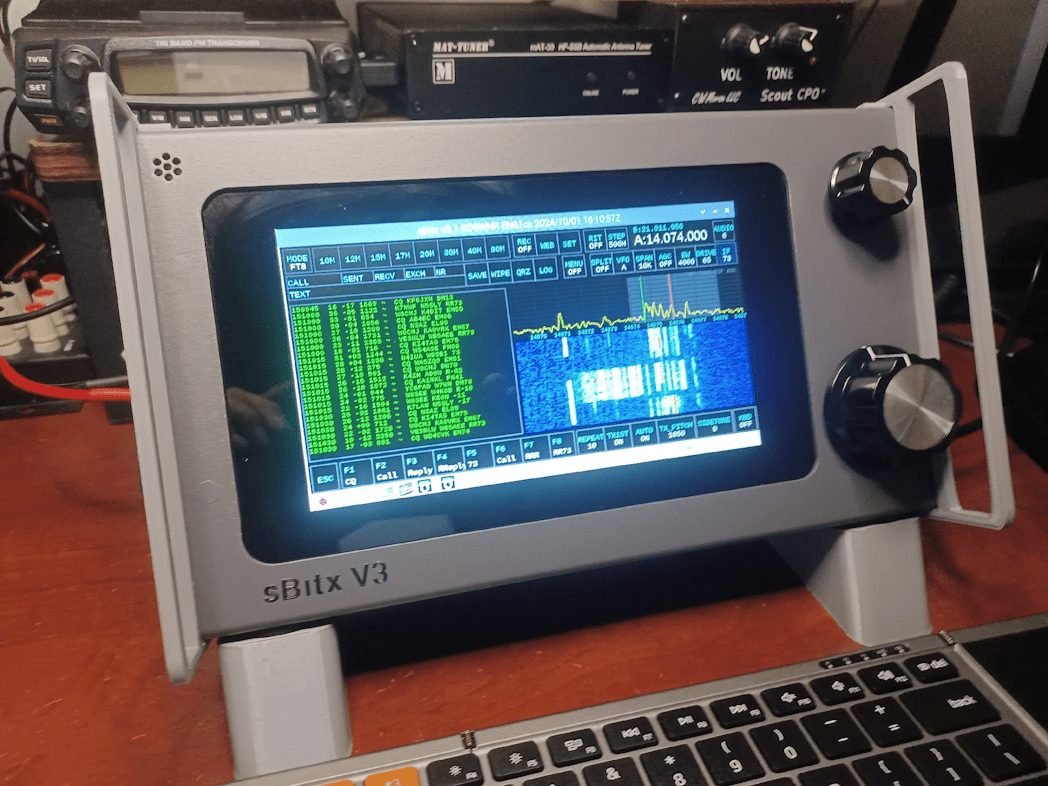
The sBitx V3 is a powerful, software-defined transceiver designed by Ashhar Farhan (VU2ESE). It builds upon the previous sBitx versions, offering a Raspberry Pi-based interface, a touchscreen display, and a user-friendly Linux environment for digital modes, logging, and radio control.


Pros:

🔹 All-in-One SDR Solution

  • Includes a built-in Raspberry Pi, touchscreen, and pre-installed software for digital modes like FT8, JS8, and FLDigi.
  • No need for an external computer for most operations.

🔹 Linux-Based Open-Source Platform

  • Can be customized and updated with new software features.
  • Encourages experimentation and development.

🔹 Multi-Band Coverage & Decent Power Output

  • Covers HF bands (80m–10m) with around 40W output on lower bands and slightly less on higher ones.
  • Suitable for both QRP and mid-power operation.

🔹 User-Friendly Interface

  • Large color touchscreen with an intuitive UI.
  • Supports waterfall display, logging, and digital modes directly.

🔹 Good for Digital & CW

  • Internal sound card eliminates the need for external interfaces for FT8 and other digital modes.
  • Low latency and good stability for CW operation.

Cons:

🔻 Still Maturing

  • Some software quirks and bugs, though updates are frequent.
  • May require occasional tweaking for optimal performance.

🔻 Not as Refined as Commercial SDRs

  • Filtering and receiver performance, while decent, may not match higher-end SDRs like the Icom IC-7300.
  • Some users report occasional RF interference and signal artifacts.

🔻 DIY & Tinkerer-Friendly, but Not Plug-and-Play

  • While prebuilt units are available, users may need to troubleshoot software or make minor hardware adjustments.

Best Use Cases:

Portable HF station – A self-contained setup without needing a PC.
Digital mode operation – FT8, JS8Call, and FLDigi work straight out of the box.
Home station for SDR enthusiasts – Offers a balance between DIY experimentation and ready-to-use functionality.

Verdict:

The sBitx V3 is a unique, all-in-one SDR transceiver that bridges the gap between open-source experimentation and practical ham radio use. It’s a great choice for those who enjoy SDR technology and digital modes but want an integrated, Linux-powered system. While not as polished as commercial SDRs, its versatility and hackability make it an exciting rig for tinkerers and portable operators.