Posts

Superhet vs. SDR: Explained

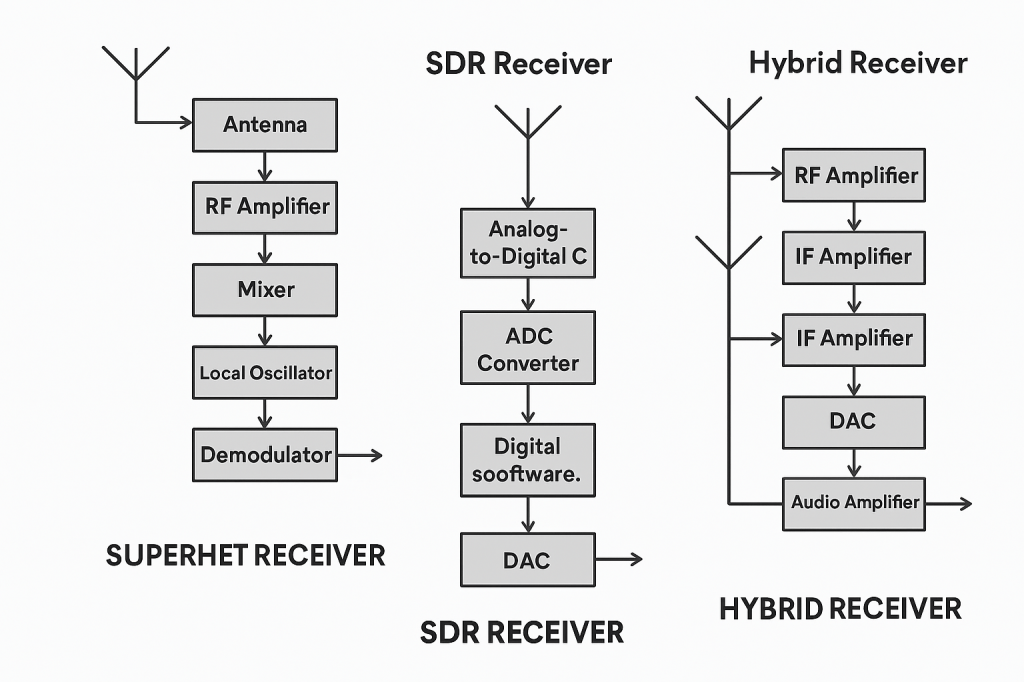
A superheterodyne (superhet) radio uses a series of fixed-frequency analog hardware filters and mixers to process a signal, while a Software-Defined Radio (SDR) primarily uses a high-speed analog-to-digital converter (ADC) and a computer or onboard processor to perform most signal processing in software.

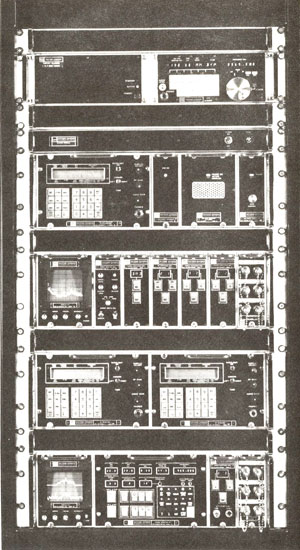
Back in the ’80’s when I was a Technician at Northrop-Grumman, I worked on a Receiver system that was made by Watkins-Johnson (WJ-9040 if I recall). All the units were painted matte black (spook stuff); There were modules for all the different bands; When the modules were all hooked together, the system could receive any signal, in any mode “known to man”. End-to-End the system was about 10 feet long! I was told the system (at the time) was deployed by NSA at US Embassies around the world to snoop on the local airwaves… Today, you can do that with a $30 SDR dongle and a Raspberry Pi. 🙂

A superheterodyne (superhet) radio uses a series of fixed-frequency analog hardware filters and mixers to process a signal, while a Software-Defined Radio (SDR) primarily uses a high-speed analog-to-digital converter (ADC) and a computer or onboard processor to perform most signal processing in software.

Core Architectural Differences

Feature Superheterodyne ReceiverSoftware-Defined Radio (SDR)
Signal ProcessingPrimarily analog electronic components (hardware-defined).Primarily digital signal processing (DSP) in software after initial digitization.
Intermediate Freq. (IF)Converts radio frequency (RF) signal to one or more fixed, lower intermediate frequencies for easier filtering and amplification.Often digitizes the RF signal directly or after minimal analog down-conversion (direct sampling/zero-IF).
FlexibilityFixed hardware design offers limited flexibility; changing modes or filters requires hardware modifications.Highly flexible; new modes, filters, and features can be added via software updates.
User InterfaceTraditionally uses physical knobs and switches.Often uses a computer interface with visual tools like a “waterfall” spectrum display.

Superheterodyne Receivers

  • Pros: Can offer superior performance in crowded RF environments by effectively handling strong, nearby signals with dedicated hardware pre-filters, which prevents overloading later stages. Known for excellent sensitivity and selectivity in well-designed, high-end models. They can also be more rugged and self-contained.
  • Cons: More complex hardware architecture; can suffer from “image frequency” interference if not properly filtered. Less adaptable to new technologies or changes in radio standards. 
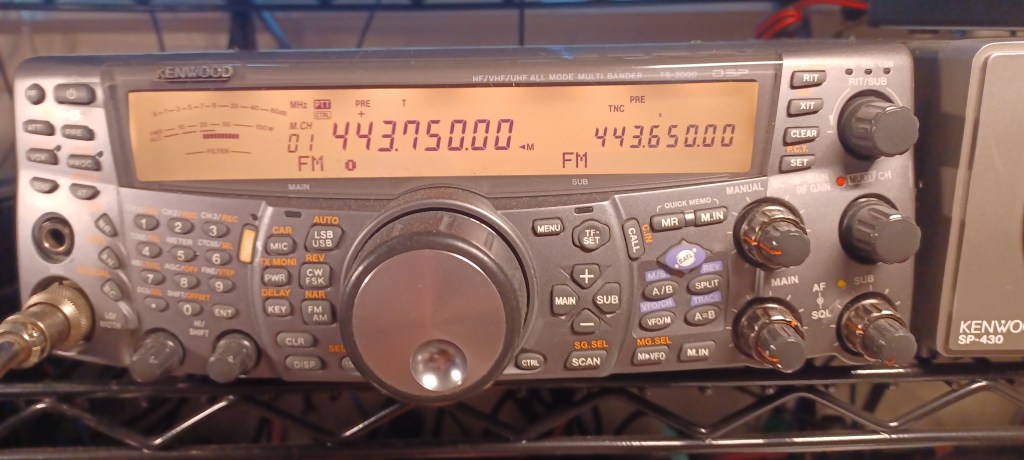
The Kenwood TS-2000 is a classic superhet transciever; It was manufactured 2001-2018.

Software-Defined Radios (SDR)

  • Pros: Unmatched flexibility, allowing for a wide range of bandwidths and demodulation schemes to be handled by the same hardware. Features like wideband spectrum scopes (waterfalls) make it easier to visualize and find signals. Good quality SDRs often provide excellent overall performance for daily amateur use.
  • Cons: Early or low-cost SDRs can be susceptible to overload from strong signals on adjacent frequencies unless external pre-filtering is added. They often require a separate computer for full functionality, or in standalone units, rely on expensive, high-speed analog-to-digital converters to achieve high dynamic range. 
Screen capture of the EESDR2 software running a SUN SDR2 DX

Hybrid Designs

Many modern, high-performance radios are actually hybrid designs, which combine the best of both worlds by using a superheterodyne front-end (mixers and filters) before the signal is digitized by an ADC. This approach uses analog filtering to maintain dynamic range and prevent overloading, while still allowing for the powerful, flexible digital signal processing capabilities of an SDR

Origins and Evolution of SDR in Ham Radio

SDR technology has revolutionized ham radio by replacing analog components with software, enabling greater flexibility, affordability, and performance. Its development began in military and commercial sectors in the 1980s and entered amateur radio in the early 2000s, now powering rigs from budget dongles to high-end transceivers.

  • 1980s–1990s: Military and Commercial Roots
    • SDR began as a solution for military radios needing multi-band, multi-mode flexibility.
    • Early systems were large, expensive, and used in secure communications and electronic warfare.
  • Early 2000s: Entry into Amateur Radio
    • Advances in digital signal processing (DSP) and affordable ADCs made SDR viable for hobbyists.
    • Projects like GNU Radio and platforms like FlexRadio introduced SDR to the ham community.
  • 2010s: Mainstream Adoption
    • Affordable USB dongles (e.g., RTL-SDR) allowed receive-only SDR experimentation.
    • Transceivers like the FlexRadio 6000 series, Elecraft KX3/K4, and Icom IC-7300 blended SDR with traditional interfaces.
  • 2020s: Hybrid and Full-SDR Integration
    • Radios like the Icom IC-7610 and Yaesu FTDX101D use hybrid architectures: analog front ends with digital IF processing.
    • Fully digital rigs offer remote operation, real-time spectrum scopes, and multi-mode decoding via software

Final Thoughts

Some Hams swear by superhet radios for their superior receive performance characteristics; Some wouldn’t even consider a pure SDR. Today, most of the high-end radios are hybrids. I remember when I told my boss I just bought a Yaseu FT-991A… The first thing he said, in a negative way: “That’s an SDR.” He’s an old-school Extra, exclusively into DX; He has an FTDX-101D (hybrid).
Ham Radio Go-Box

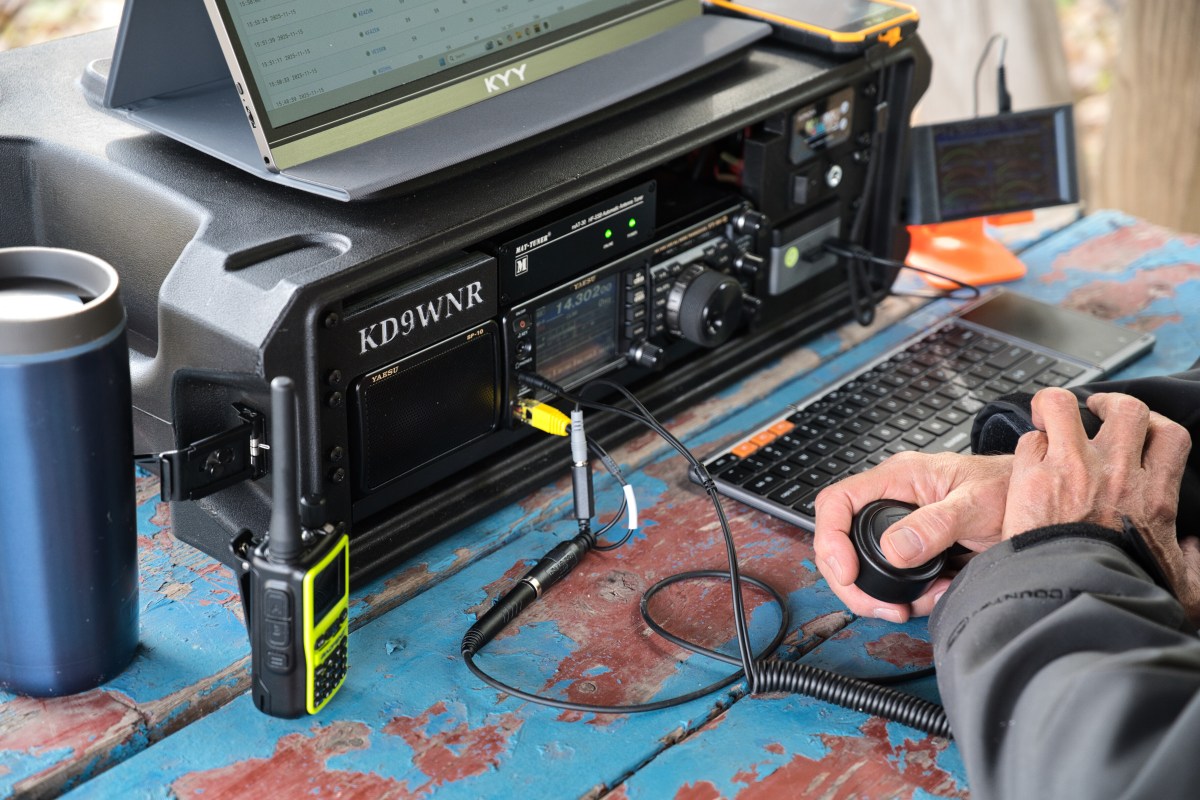
A ham radio go-box is a portable, self-contained communications station designed for rapid deployment in the field. It typically includes a transceiver, power source, antenna connections, and essential accessories—all pre-wired inside a rugged case for easy transport and setup.

Go-Boxes have a wide appeal in the Amatuer Radio hobby among Hams that like portable operations. Hams that do POTA Activations, participate in Field Days, and even “preppers” all have an interest in a grab-and-go kit to get a station on-the-air quickly almost anywhere.

First step is to determine where and what your Go-Box will be used for primarily. A POTA station may need totally different transceiver capabilities from an Emergency Communication (EmComm) station. The choices are many…

  • Emergency Communications (EmComm): Supports RACES, ARES, CERT, and Skywarn operations.
  • Recreational Field Ops: Perfect for POTA (Parks on the Air), SOTA (Summits on the Air), and Field Day.
  • Training & Outreach: Great for demos, scout events, and community preparedness.

Maybe you have an “extra” transceiver you’ve decided to put into a Go-Box, or designing one from scratch… Either way, you’ll need to decide on a Radio first, and then decide on what you want connected to it…

  • What kind of Battery? How Big?
  • Do I need a Power Supply (if 115v is available)
  • Do I need a Computer port or should I have a PC Built-In?
  • Do I need an Antenna Tuner?

Once you’ve decided all the stuff you want or need to get “in the box”… It’s time to pick a Box. Ham radio go-boxes are commonly built using rugged, customizable cases like Pelican, Nanuk, and Gator rackmount cases. These offer durability, modularity, and protection for sensitive radio gear in field conditions. But a lot of creative folks make go-boxes out of Ammo Cans and Picnic Coolers.

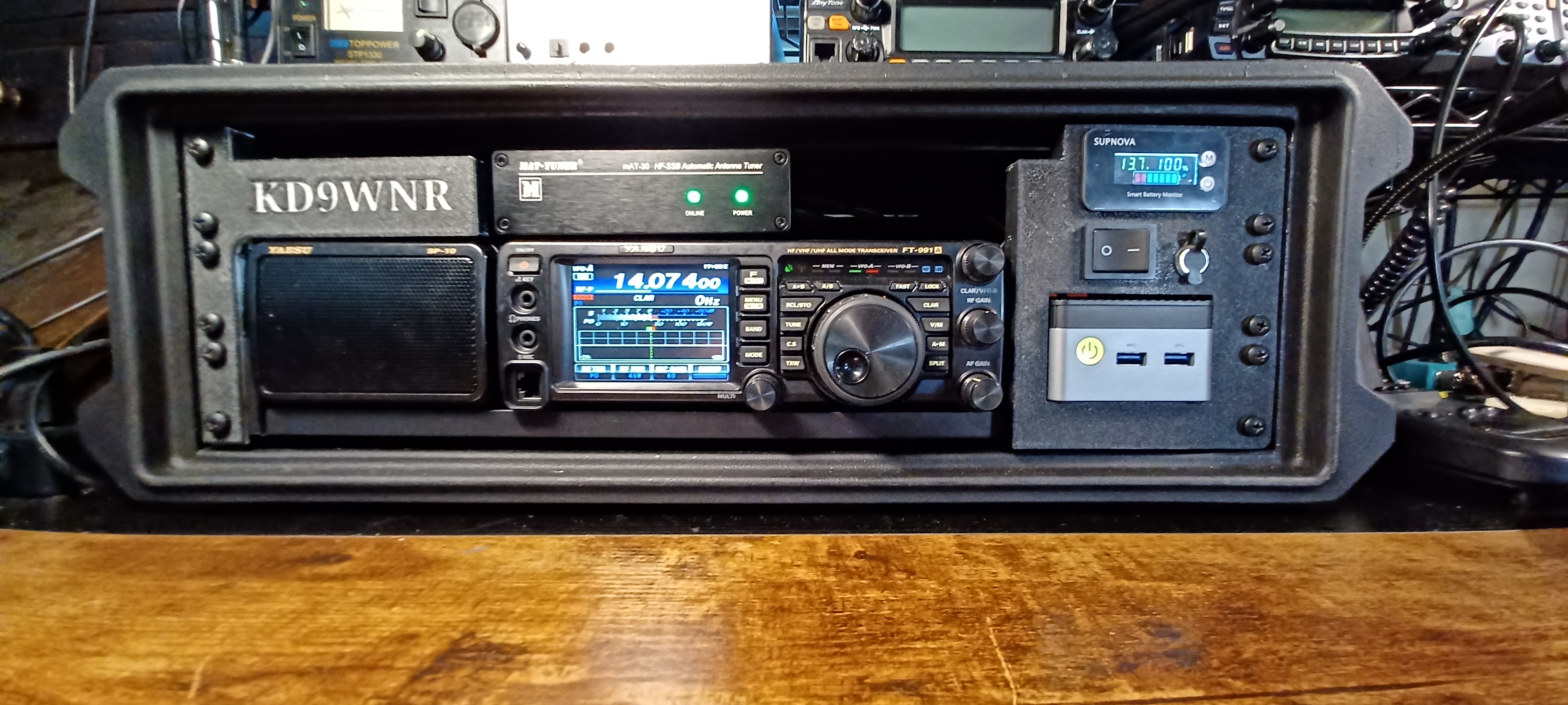
My first Transceiver was a Yaesu FT-991A; I later picked up a classic Kenwood TS-2000 that replaced the Yaesu as my primary Shack Radio, so I decided to re-task it for portable use.

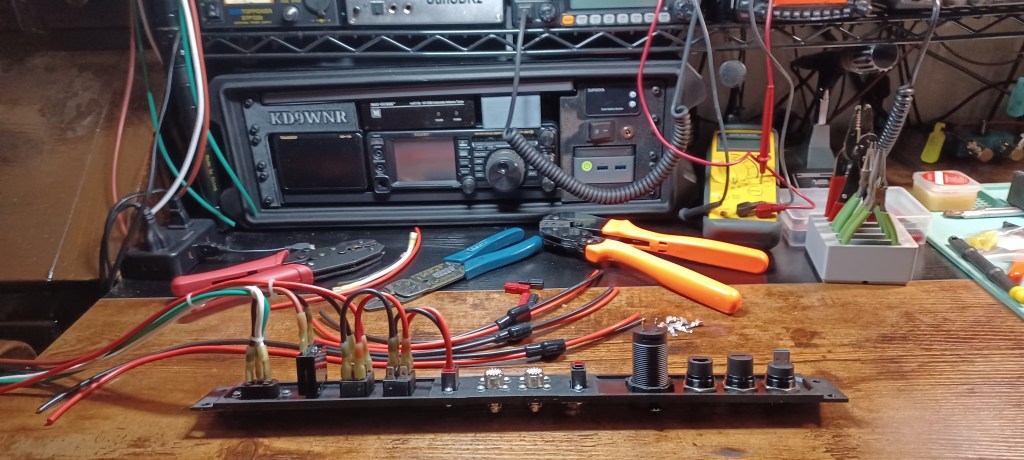
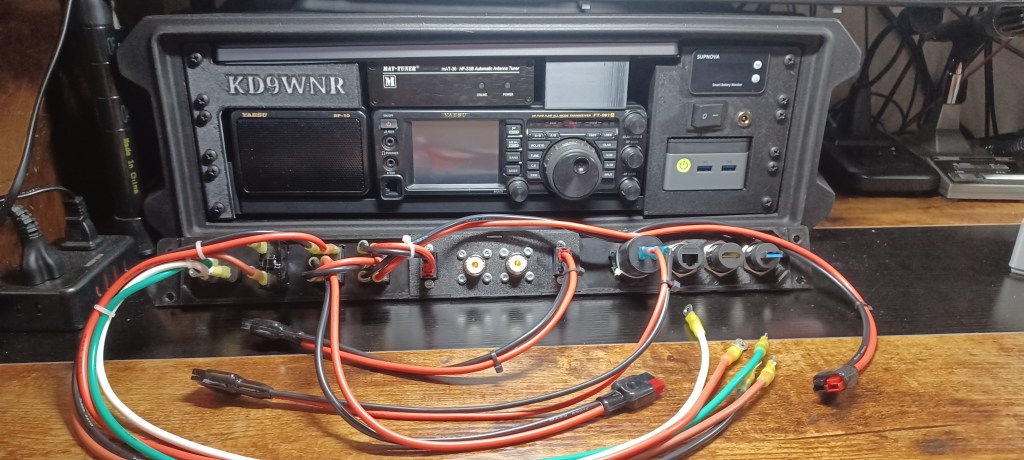
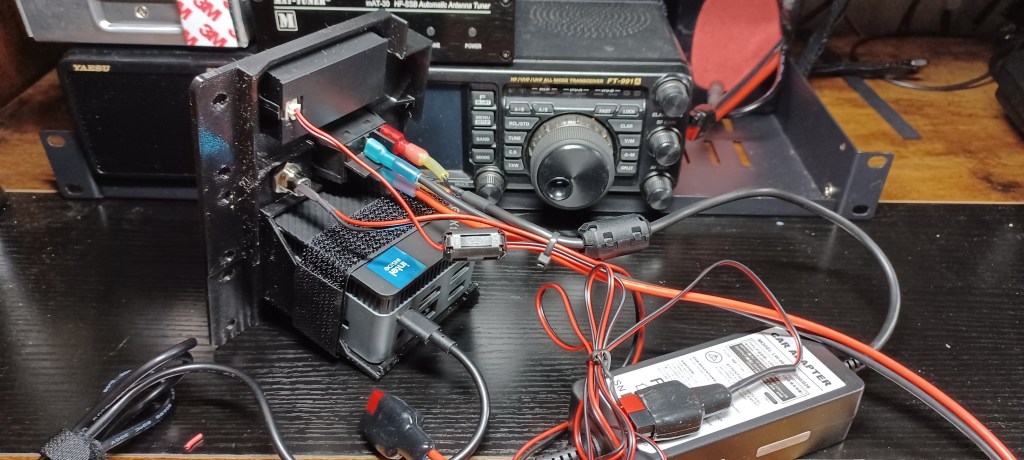
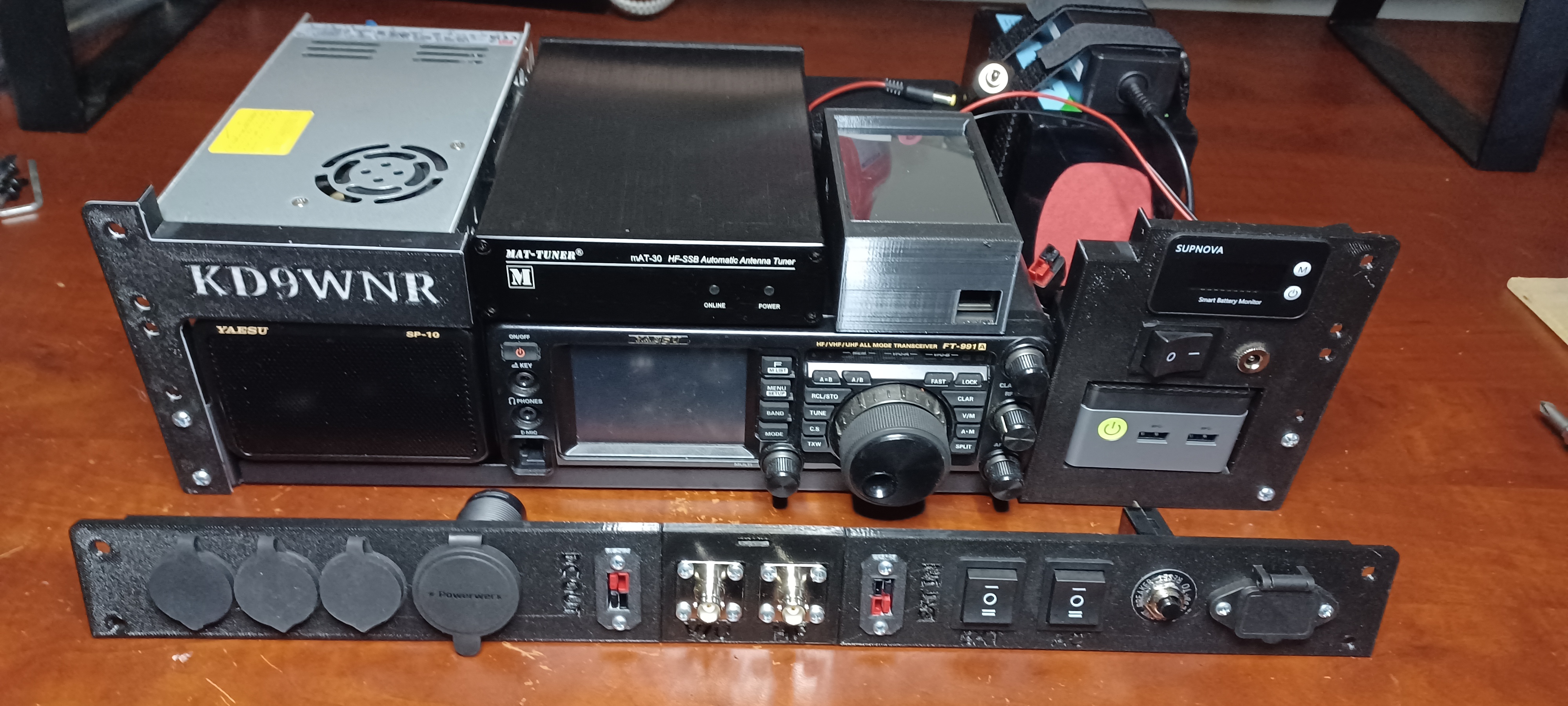
Here’s a peek at what’s inside my Go-Box… It all fits inside a Gator G-Pro 3U Shallow (13″) Rack Case:

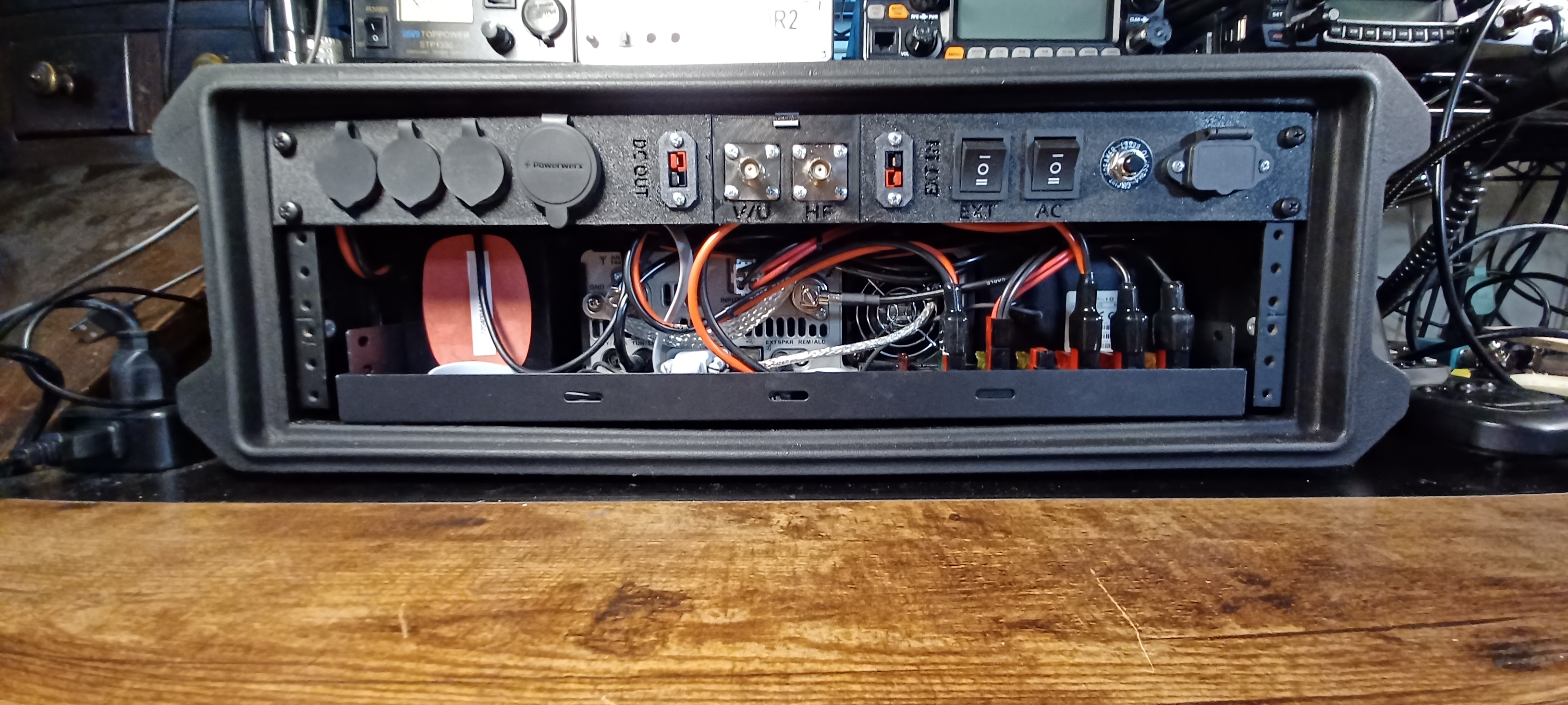
The 1U Rear Panel is 3D Printed. The STL files and details on the components used are here: https://www.printables.com/model/1485996-1u-go-box-rack-panel

Looking from the rear… There’s a USB Port connected to a Bi-Directional USB Switch. The Switch is also connected to the Mini PC and the USB Data Port on the FT-991a; This allows easy switching of the transceiver from the internal PC to an external Laptop or other device. Next to that is an HDMI Port extended from the Mini PC, and an RJ-45 Jack that connects to the transceiver CAT Port. The larger port is a Powerwerx 65W USB A/C Charger.

In the center are the Antenna Connectors, and Power Pole connections for an external DC source (IN), and Power Poles to power other devices (OUT) from the source selected on the Go-Box.

Starting on the right side, there’s an IEC 320 C14 Socket for a standard AC Power Cord. The Circuit Breaker is in-line to the Power Supply. The two Rocker Switches are used to switch Primary Power Source between AC or Battery, and Internal or External Battery.

A list with hyperlinks to all the components described above can be found, with the 3D Print files here: https://www.printables.com/model/1485996-1u-go-box-rack-panel 

What Makes a Go Box So Great

  • All-in-One Portability
    A go box packs radios, power, antennas, and accessories into a single rugged case—ready to deploy at a moment’s notice. Whether it’s a Pelican case, ammo can, or rack-mount system, it’s built for grab-and-go reliability.
  • Independent Power
    Most go boxes include LiFePO4 batteries, solar charge controllers, or DC power distribution, so you’re not reliant on the grid. That’s critical during blackouts, wildfires, or hurricanes.
  • Infrastructure-Free Communication
    Unlike cell phones or internet-based systems, ham radio doesn’t need towers or service providers. You can reach local responders on VHF/UHF or go global on HF—even when the grid is down.
  • Custom-Built for Mission Profiles
    Whether you’re doing Parks on the Air, storm spotting, or EmComm deployment, your go box can be tailored to your exact needs: APRS, digital modes, weather monitoring, or even mesh networking.
  • Field-Tested Readiness
    A well-designed go box isn’t just a showpiece—it’s meant to be used. Regular testing and real-world drills ensure it performs under pressure, not just on paper.
  • Training & Outreach Tool
    For Elmers, a go box is a powerful teaching aid. It shows new Hams how to build, operate, and troubleshoot a complete station—and it’s a great centerpiece for workshops or community events.

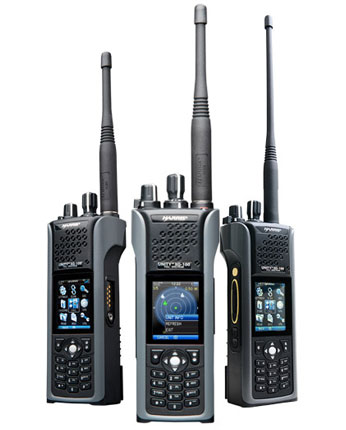
Harris XG-100P: A Multiband Marvel for Amateur Radio Operators

The XG-100P was introduced by Harris Corporation’s RF Communications Division around 2009, as part of their Unity product line. The XG-100P was developed in response to post-9/11 interoperability challenges among emergency services, and the growing adoption of P25 digital standards in public safety communications.

In the world of amateur radio, versatility, durability, and performance are key. While many operators rely on consumer-grade transceivers, a growing number are turning to professional-grade equipment for enhanced capabilities. One standout in this category is the L3Harris Unity XG-100P, a multiband portable radio originally designed for public safety and military use. Here’s why it’s worth considering for your amateur radio toolkit.


A Brief History of the XG-100P

The Unity XG-100P was introduced by Harris Corporation in the early 2010s, before the company merged with L3 Technologies to form L3Harris Technologies in 2019. Designed to meet the demanding needs of first responders and defense personnel, the XG-100P was built with a software-defined architecture, allowing for future upgrades and customization without hardware changes.

The XG-100P was introduced by Harris Corporation’s RF Communications Division around 2009, as part of their Unity product line. The XG-100P was developed in response to:

  • Post-9/11 interoperability challenges among emergency services.
  • The need for a single device that could replace multiple radios across different bands.
  • Growing adoption of P25 digital standards in public safety communications.

Harris aimed to create a future-proof platform that agencies could rely on for years, with software upgrades keeping pace with evolving standards. Manufactured in the United States, the radio quickly gained traction among agencies requiring secure, interoperable communication across multiple bands and systems.

APCO P25 (Project 25), is a digital radio communications standard developed for public safety and emergency services, designed to ensure interoperability between different agencies and manufacturers. It was developed by the Association of Public-Safety Communications Officials (APCO) in partnership with government and industry. But, it's also used by amateur radio operators who enjoy experimenting with digital modes.

Features That Set It Apart

The XG-100P is packed with features that make it a top-tier choice:

  • Multiband Operation: Covers VHF (136–174 MHz), UHF (380–520 MHz), and 700/800 MHz (762–870 MHz).
  • High Power Output: Up to 6W on VHF, 5W on UHF, and 3W on 700/800 MHz.
  • Dual Microphones: With noise suppression and AMBE+2 vocoder for crystal-clear audio.
  • Built-in GPS and Bluetooth: For location tracking and wireless programming.
  • Front Panel Programming (FPP): Allows direct channel input from the device (if enabled).
  • Rugged Design: MIL-STD-810G certified for durability in extreme conditions.
  • Battery Life: Up to 10 hours on a standard duty cycle.

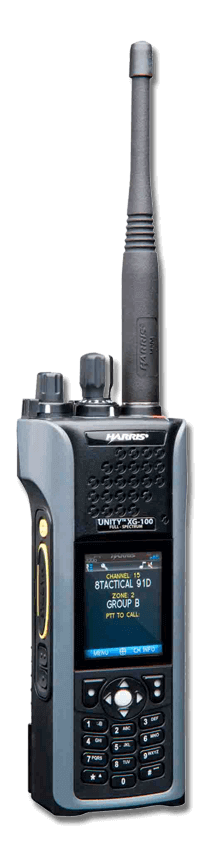
XG-100P Controls

Where It’s Been Used

The XG-100P has seen widespread use in:

  • Law enforcement
  • Fire and EMS
  • Military operations
  • Disaster response teams

Its ability to operate across multiple bands and encryption types makes it ideal for multi-agency coordination and tactical deployments.


Used Market Pricing

While new (unused) units are rare and expensive, the used market offers more accessible options; Price will vary greatly by condition, features installed, and accessories included.

  • Basic units (radio only): $350–$800
  • Fully equipped units: $700–$1,200
  • Refurbished with warranty: $1,200+

Compared to other professional radios like the Motorola APX 8000 (often $4,000+), the XG-100P offers exceptional value.


What to Look for When Buying

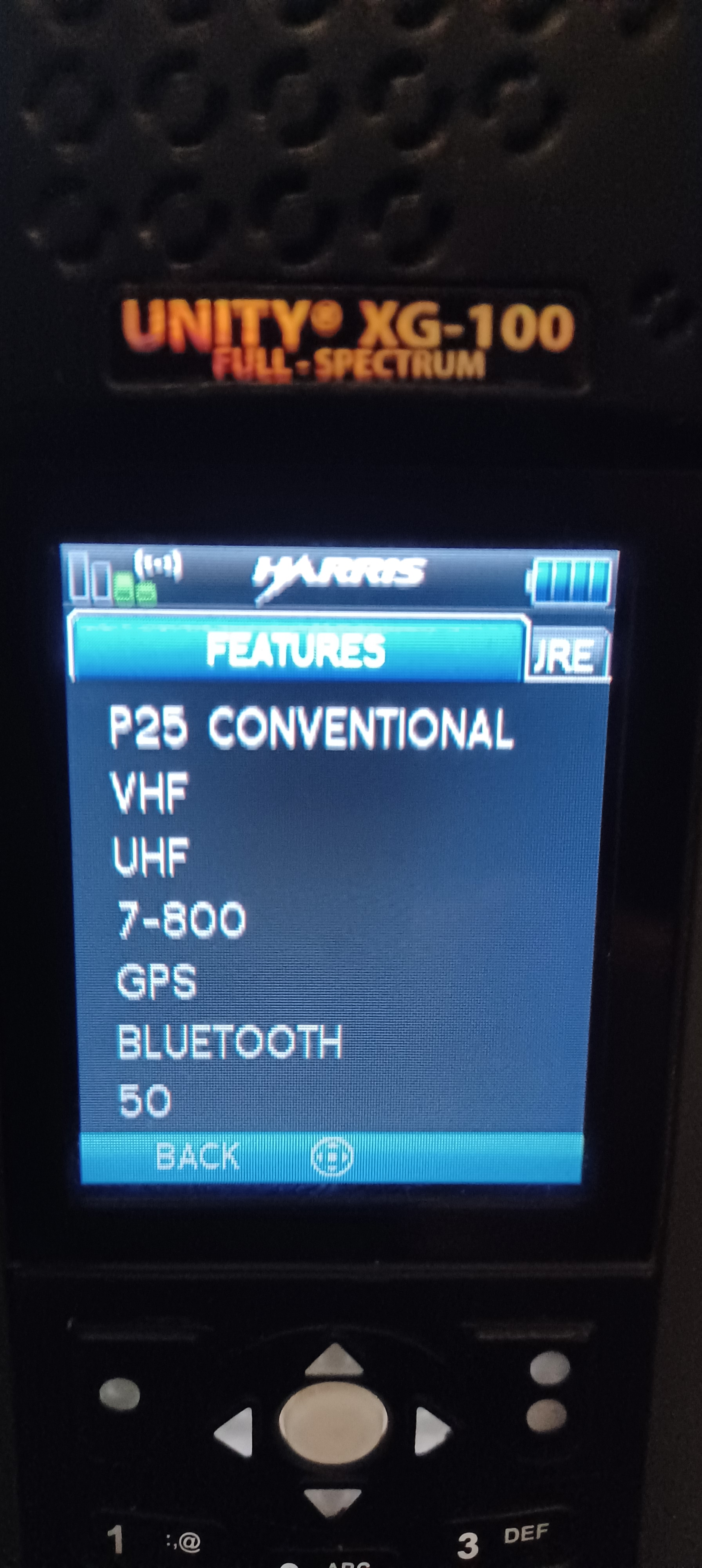
The average Ham won’t use or need many of the features this Radio is capable of, such as P25 Phase 2 (trunking) or any of the encryption options. If you are in a job that has you carrying a radio, and you need these types of features, check with your Administrator first. If you’re like me, and just want if for “conventional” FM analog and P25… A basic Feature Set should suffice.

I wouldn’t buy one of these without a look at the Features Set. If buying online… The Features should be displayed by the Seller in the ad; If not beware.

Most of the Surplus XG-100P radios in the market were used by Public/Emergency Services organizations on APCO P25. Many of these have their Wide-Band operation disabled to comply with FCC Part 90 regulations limiting Public Service Frequencies to Narrow-Band Only. Ham Radio requires Wide-Band FM.

Do not purchase an XG-100P with Feature “58 – WIDEBAND DISABLED”; These will not work well for Amateur use in FM Analog.


Programming the XG-100P: RPM Software Essentials

To program the XG-100P, you’ll need Radio Personality Manager (RPM), Harris’ proprietary software suite.

Harris RPM is past End-of-Life and no longer available or supported by Harris. Deprecated versions of RPM can be found through alternative sources. The latest version is R14C05; The latest compatible Firmware for the XG-100P is XLPRO6T02.

The XG-100P is not compatible with RPM2, the latest Harris programming software.

Capabilities

  • Create up to 10 Mission Plans (Personalities) with 1,250 channels each (12,500 total).
  • Define shared Personalities for reuse across multiple radios.
  • Support for analog FM, P25 Phase 1 & 2, EDACS, and ProVoice systems.
  • Wireless programming via Bluetooth or Over-the-Air Programming (OTAP).
It may be confusing... In the Harris world, the term Mission Plan and Personality are used interchangeably. The Mission Plan is what Motorola and others call a Code Plug. Harris saves the Mission Plan (code plug) in a file called a Personality (*.prs).

How to Program

  1. Install RPM on a Windows PC.
  2. Connect the radio via USB cable (model 12082-0410-A1).
  3. Create a mission plan with channels, systems, and user settings.
  4. Upload the plan via USB or Bluetooth.
  5. Enable FPP if desired for field programming.
Note: If enabled, the radio can be fully programmed over Bluetooth; No cable required. A Programming Cable is required for Firmware updates.

Why Amateur Operators Should Consider the XG-100P

  • Multiband Versatility
    Monitor and transmit across VHF, UHF, and 700/800 MHz—ideal for emergency communications and interoperability.
  • Professional Build Quality
    Built to military standards, it’s rugged enough for field use and extreme conditions.
  • Advanced Audio and Interface
    Dual microphones, noise suppression, and a full-color display make it a pleasure to use.
  • Software-Defined Flexibility
    Future-proof your setup with firmware upgrades and customizable mission plans.
  • Non Affiliate Scanning
    NAS capable, allowing use as a Scanner on trunked P25 systems.
  • Cost-Effective Power
    Get professional-grade performance at a fraction of the cost of other high-end radios.

Final Thoughts

The L3Harris Unity XG-100P is more than just a radio—it’s a powerful tool for serious amateur operators who want professional-grade performance, multiband flexibility, and rugged reliability. While programming can be complex and costly, the benefits far outweigh the challenges for those willing to invest the time and resources.

Baofeng UV-5R Mini

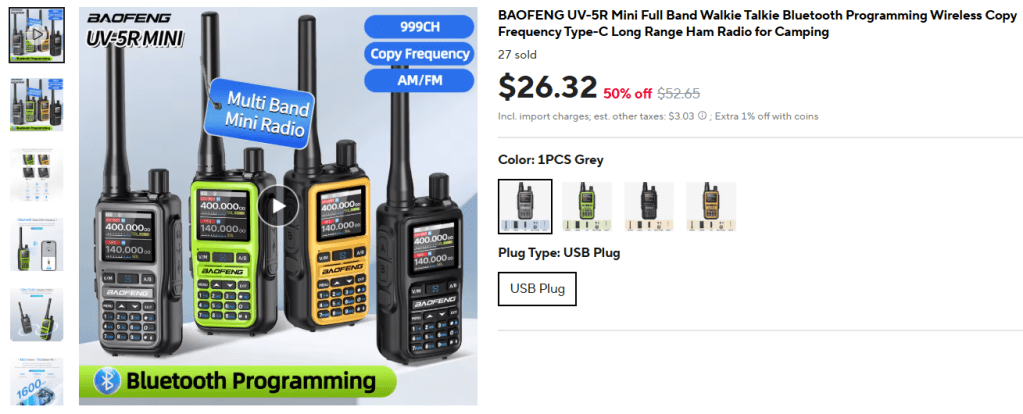
The “Mini” delivers more features, more memory, a smaller form factor and a modern display over the standard UV-5R. What’s not to like?

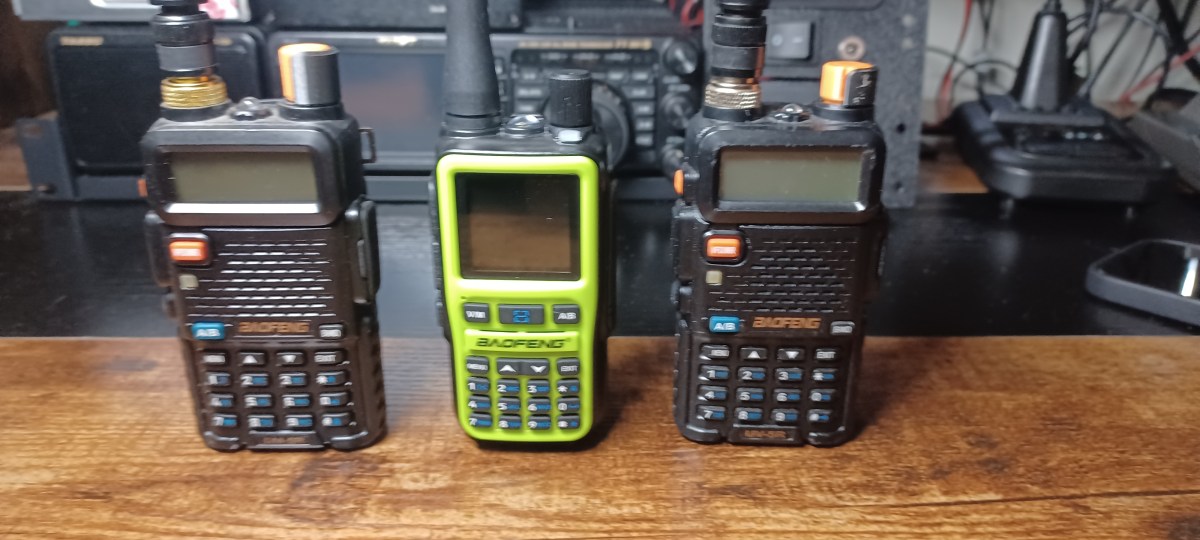
Baofeng spits out different models of HT’s so fast, it’s hard to keep up. When I heard about the new UV-5R Mini, I knew I had to get one. The standard UV-5R is my favorite HT. I’ve got the common dual-band UV-5R, the tri-band UV-5III and the DM-5R (DMR version)… They all look exactly the same 🙂 The “Mini” delivers more features, more memory, a smaller form factor and a modern display over the standard UV-5R. What’s not to like?

I purchased my UV-5R Mini on AliExpress for $27… There’s plenty of sellers, all around the $25 price point.

Key Differences: UV-5R Mini vs. Standard UV-5R

Form Factor & Display
  • UV-5R Mini: Compact dimensions (~107 × 52 × 37 mm) with a 1.44″ full-color TFT display, giving a more modern, vibrant interface.
  • Standard UV-5R: Larger, traditional sized body with a monochrome LCD display—functional but less flashy.
Memory & Functionality
  • UV-5R Mini: Boasts up to 999 memory channels, a significant leap if you need extensive programming.
  • Standard UV-5R: Provides 128 memory channels, suitable for basic amateur use.
Charging & Connectivity
  • UV-5R Mini: Supports USB-C charging, eliminating the need for a specialized charging dock. It also includes Bluetooth-enabled APP programming and one-key frequency copy for quick setup.
  • Standard UV-5R: Uses a proprietary charging base and requires programming via front-panel or PC software (e.g., CHIRP with a USB cable).
Additional Features
FeatureUV-5R MiniStandard UV-5R
Dual PTTYesNo mention commonly
Voice-Activated (VOX)YesYes
LED Flashlight & SOSYes, built-inLED flashlight yes; SOS not typically
Dual Watch + ScanningYesYes
Multi-band Receive (e.g. AM/FM/NOAA)Yes (AM:108-136 MHz; FM:65-108 MHz etc.)Limited to VHF/UHF and FM band on some variants
Power & Performance Specs
  • UV-5R Mini: Offers 5 W (high) and 2 W (low) transmit power. Covers extended receive frequencies in AM and FM bands as described above.
  • Standard UV-5R: Typically 4-5 W high power; frequency coverage limited to VHF/UHF and possibly FM broadcast in some variants.
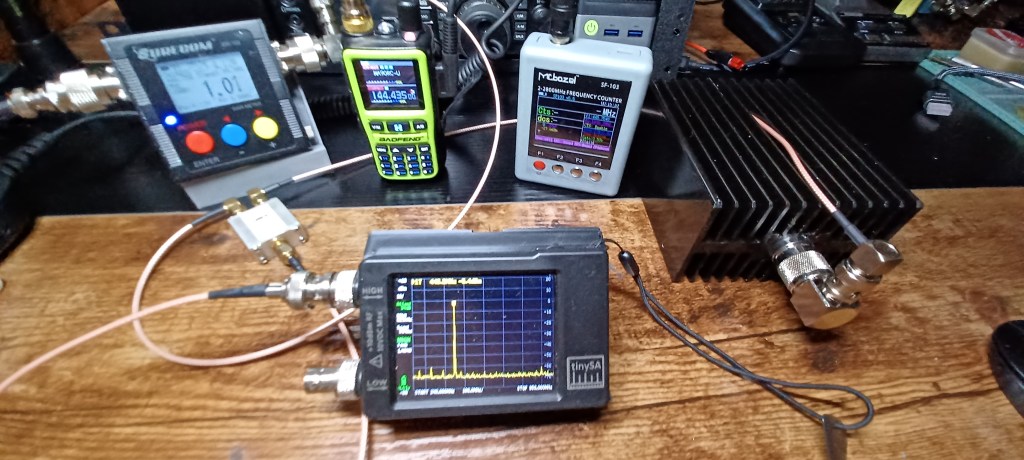
I check all my new HTs for spurious emissions. especially the CCRs…
Pleased to say the UV-5R Mini is clean

Summary Table
FeatureUV-5R MiniStandard UV-5R
Size & DisplayCompact, color TFTLarger, monochrome LCD
Memory Channels999128
ChargingUSB-CProprietary base
ProgrammingApp via Bluetooth + copyManual or PC (CHIRP)
Additional FeaturesSOS, flashlight, dual PTTFlashlight, VOX
Frequency RX CoverageVHF/UHF + AM/FMVHF/UHF (FM on some)
Final Thoughts

If you’re looking for a modern, compact, and feature-rich handheld, the UV-5R Mini is a strong choice. Its color display, massive channel capacity, app-based programming, and USB-C charging offer significant convenience and flexibility.

On the other hand, the standard UV-5R remains a dependable, no-frills workhorse—cost-effective, simple, and proven in the ham radio community.

I’m Good on Q-R-Zed

QRZ.com is one of the most widely recognized platforms in the amateur radio community. Since its launch in 1992, the site has evolved from a simple callsign lookup tool into a global online hub offering a wide range of features for licensed operators, hobbyists, and radio enthusiasts.

https://www.qrz.com/db/KD9WNR

I was scanning the Club 440 Repeater on the way home from work, and I heard a new callsign, talking with a member. The new Ham was asking some really basic stuff about how to call “CQ” 😀 and station-to-station; How do I sign-off, and do I need to give my callsign after every transmission (which he was)? He was getting some good and proper advice from this Elmer on operating procedures and such and then Elmer brought up the topic of QRZ.com…

QRZ.com is a major platform in the the amateur (ham) radio community. It primarily functions as a callsign (call-sign) database, logbook service, and community hub for radio amateurs.

The name “QRZ” comes from the Q-code “QRZ?” which in radio parlance means “Who is calling me?” — fitting for a site whose core function is to look up who’s behind a given callsign.
Wikipedia

Originally, QRZ began by incorporating FCC call sign data (for U.S. amateurs) and later expanded to incorporate international amateur license records.

Global Reach and Demographics

QRZ.com serves a worldwide audience, drawing amateur radio operators from nearly every country. While the site does not publish detailed demographic statistics, usage trends reflect the broader amateur radio community:

  • Global participation: Licensed operators from North America, Europe, Asia, and beyond actively use QRZ for logging contacts and verifying callsigns (QRZ.com).
  • Core user base: Primarily licensed amateur radio operators, though shortwave listeners and radio hobbyists also participate.
  • Age range: Amateur radio traditionally skews toward older demographics, but QRZ has attracted younger operators through its online tools, forums, and integration with modern logging software (ARRL demographic studies).
  • Technical interests: Users tend to be technically literate, often involved in electronics, computing, and RF communications.

Key Features of QRZ.com

QRZ.com offers a rich set of tools and services tailored to the needs of radio amateurs:

  1. Callsign Lookup / Online Callbook
    The core feature allows users to look up callsigns to identify licensed operators, view station details, and read operator-provided biographies (QRZ.com).
  2. User Profiles
    Each registered operator can customize their profile with photos, station equipment lists, biographies, and QSL information (Wikipedia).
  3. Logbook of the World (LoTW) Integration
    Operators can log their QSOs (radio contacts) online. QRZ’s logbook system supports double-blind confirmations when both parties log matching details (QRZ Logbook Docs).
  4. Awards and Certificates
    Users can track their confirmed contacts and apply for awards such as Worked All States (WAS) and DXCC equivalents through QRZ’s award program (QRZ Awards).
  5. XML Data Service / API Access
    Paid subscribers can access advanced XML data services, allowing seamless integration with third-party logging programs and contest software (QRZ XML Service).
  6. Community Forums
    QRZ hosts active forums covering technical discussions, equipment reviews, antennas, licensing questions, DXing, and general ham radio conversation (QRZ Forums).
  7. Swapmeet / Marketplace
    A popular section where operators buy, sell, or trade radio equipment, often including transceivers, antennas, and accessories (QRZ Swapmeet).
  8. News and Articles
    The platform publishes regular news updates, opinion columns, and technical articles relevant to the amateur radio community (QRZ News).
  9. QSL Tools
    QRZ helps manage QSL confirmations, including a QSL ListMaker feature and support for bureau or direct card exchanges (QRZ.com).
  10. Statistics and Reports
    Daily updates provide information on new callsigns, popular lookups, expired licenses, and other activity metrics (QRZ Statistics).

Why QRZ.com Matters

For many operators, QRZ.com is the first stop when making or confirming a contact. Its extensive callsign database, integrated logging system, and community features make it a central resource in the amateur radio hobby. Whether you are a newly licensed ham or a seasoned DXer, QRZ.com offers the tools to connect, record, and participate more fully in the global amateur radio community.


In summary: QRZ.com has grown from a callsign directory into a full-featured platform that blends logging, social networking, technical resources, and community engagement—all in one place.

Parks on the Air (POTA): Overview and Guide for Beginners

Parks on the Air (POTA) is an international amateur radio award program that encourages licensed operators to visit and operate portable radio equipment from public parks. It grew out of the ARRL’s 2016 “National Parks on the Air” (NPOTA) event; after that one-year special event ended, volunteers founded POTA in early 2017 to continue the fun. The official POTA site describes its mission as promoting emergency communications awareness from national, state, or provincial parks: https://parksontheair.com/. Since then POTA has become wildly popular – Wikipedia notes over 325,000 participants worldwide. POTA awards are given for making contacts (“QSOs”) from parks, with points tallied by number of contacts, bands used, modes (voice, CW, digital), and other criteria. In short, POTA combines outdoor activity with radiosport, urging hams to “get out of the shack” and enjoy nature while practicing radio skills.

How POTA Works: Activators and Hunters

In POTA, an activator is an operator who sets up a temporary station inside a designated park and calls CQ POTA, while hunters (or “chasers”) are other operators who try to contact them. Activators typically announce their plans (often on the POTA website or social media) so hunters know when and where to listen. Any contact between a station in the park and any other licensed ham counts as a valid QSO (no special exchange beyond callsigns is required). When an activator logs at least 10 QSOs from the park in a single UTC day, the activation qualifies as complete. After the activation, the activator uploads a log file (in ADIF format) to the POTA website. The POTA system then credits each QSO to the activator and to the hunters, and updates award standings and leaderboards. (Hunters do not submit their own logs; they earn credit automatically via the activator’s log.)

Equipment and Portable Station Setup

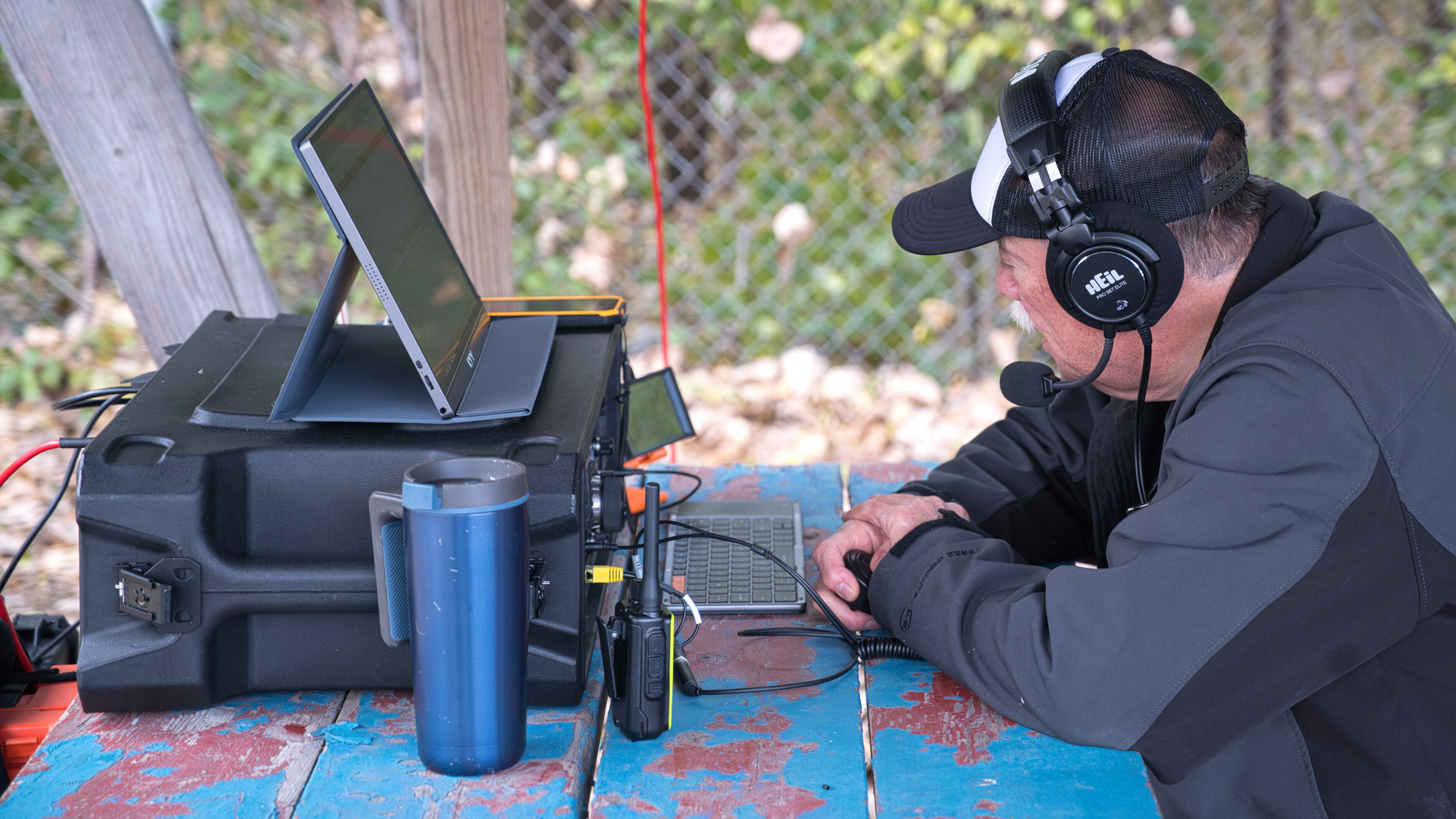
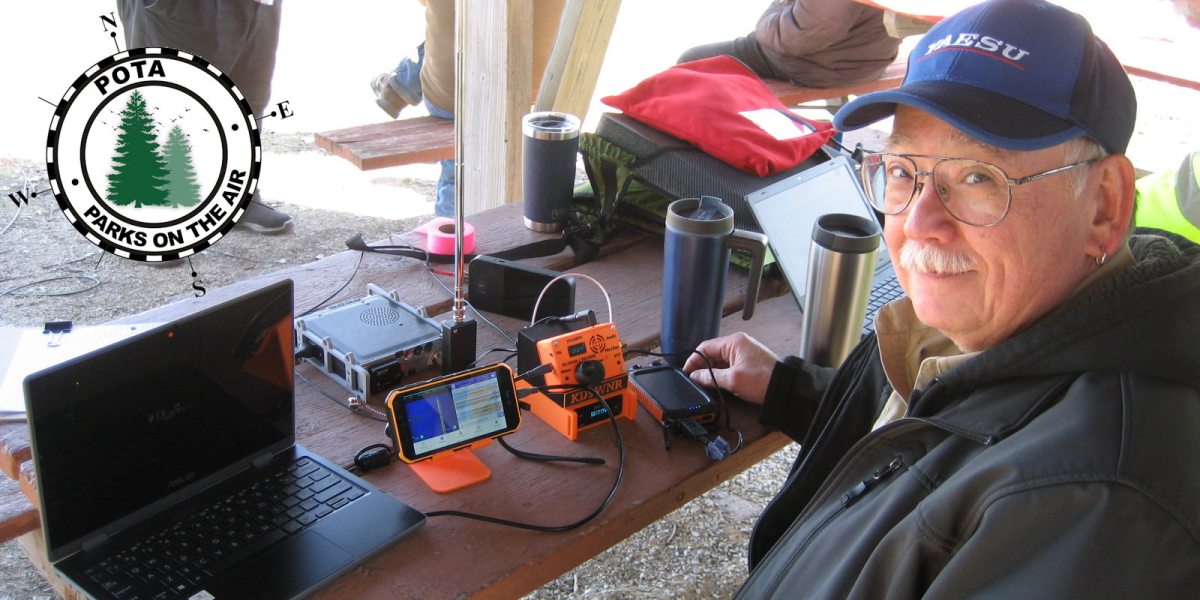
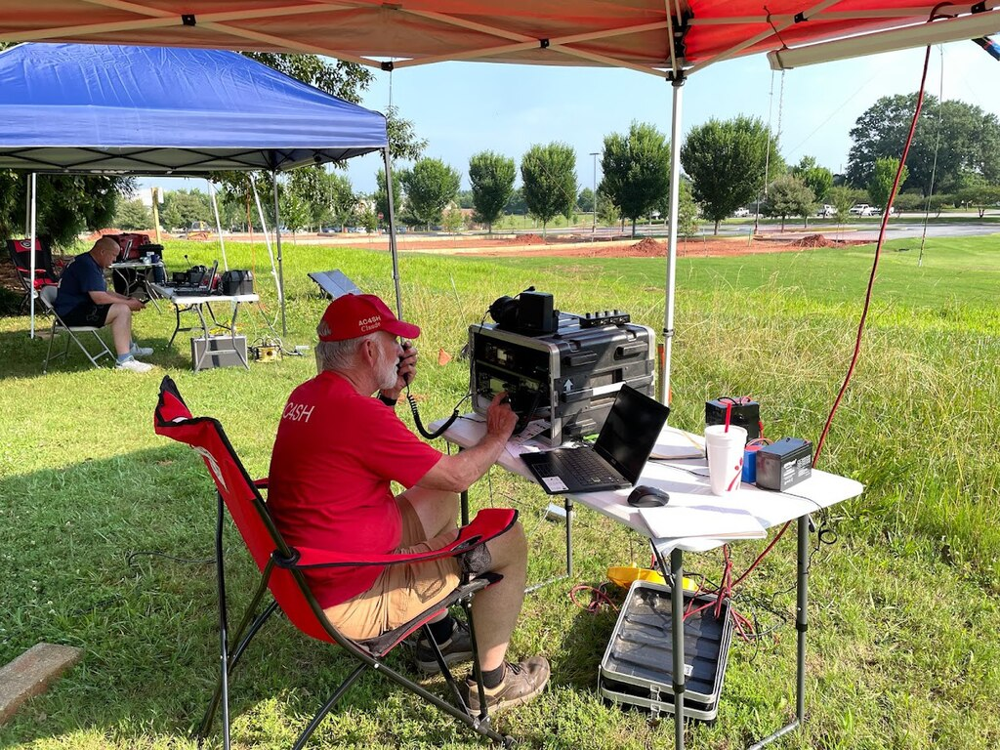
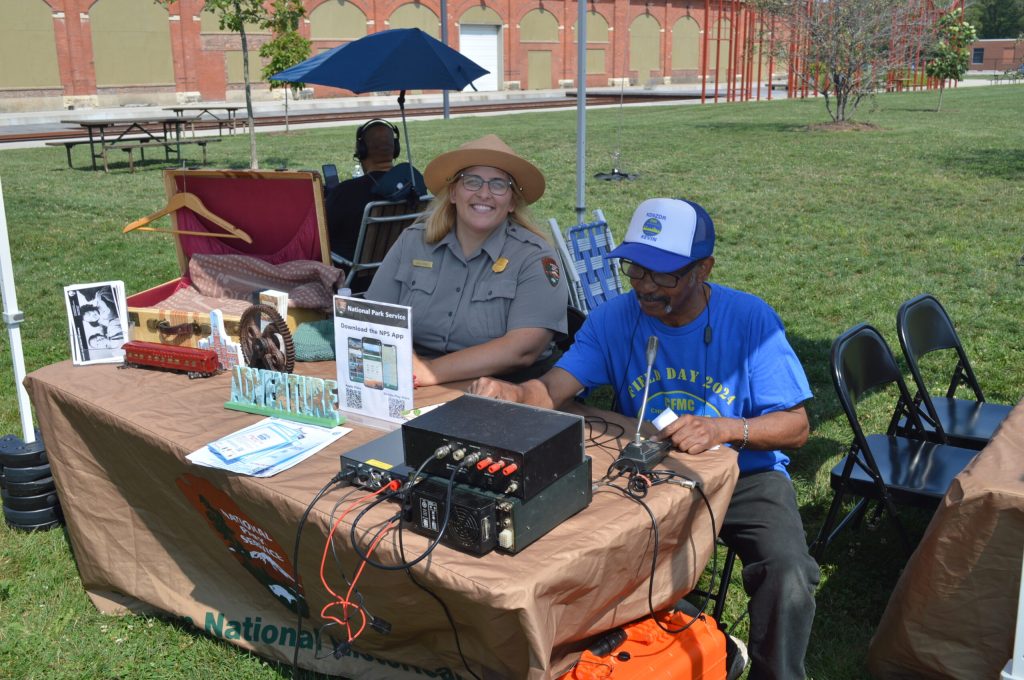
Activators usually pack lightweight, battery-powered gear for field use. A typical POTA station might include an HF transceiver or all-band radio, a 12V battery (or solar panel), a microphone or Morse key, and a portable antenna. The photo shows an example POTA setup under a canopy: a radio “go-box” on a table, a laptop for logging, a battery, and handheld antennas. Common antennas are whip-style or loop antennas that can be carried or tripod-mounted; some hams even throw wire antennas over tree branches using a fishing pole or kite. (The goal is to get a good antenna up while minimizing weight and respecting park rules.) Whatever equipment is used, it must stay within the park boundary. Activators often use shade (pavilions or canopies) and bring chairs, but always leave no trace when packing up. POTA emphasizes fun and learning – as the official guide notes, POTA is “an excellent way of developing your skills as a portable operator” (antennas, power, logging, etc.) – while also being courteous to other park users and staff.

Participating in POTA

  • Register and Prepare: Create a free POTA account with your callsign at the official POTA website https://parksontheair.com/, or directly at https://pota.app/#/. Review the POTA rules and guides on. You may also join the POTA Slack channel or Facebook group for help and announcements. Bring any necessary park permits or water/food for your outing.
  • Choose a Park: Use the POTA map (https://pota.app/#/map ) to find nearby eligible parks. The interactive map shows parks (yellow dots) by country or state; click to see park names and codes. Select a park and note its details (address, hours, permit requirements). Only official state or national parks are valid – private or city parks are not included.
  • Pack Your Gear: For a portable activation, essential items include a transceiver (HF/VHF), batteries (or solar), a field antenna, microphone/key, and logging tool (paper logbook or laptop/tablet). Bring antenna support (collapsible mast, tripod, rope), coax cable, and basic tools. A copy of the park boundary map and a watch (UTC time) are useful. Double-check that all gear is secured for transport.
  • Activate the Park: Drive or hike to your chosen park and set up at a suitable spot (picnic table or open area). Assemble your antenna and power up your radio. Call “CQ POTA” on a commonly monitored band (often 20m or 40m on HF, or 2m VHF/FM). Other hams (hunters) will respond with their callsigns and signal reports. You may also tune around and answer others calling CQ POTA. Continue making QSOs until you reach at least 10 contacts (required for a valid activation). You may operate on multiple bands or modes to work more stations. Remember to identify your station with your callsign and “POTA” as appropriate, and to operate politely (observe bandplans and DX code of conduct).
  • Log and Submit: Keep a log of each QSO with callsign, UTC date/time, band, and mode. You can log on paper and later enter into a computer, or use logging software (many activators use HamRS, ACLog, or similar). After the activation, export or create an ADIF log file with the required fields (your callsign, contact’s callsign, QSO date/time, band, mode). On the POTA website, go to your account and upload this log under the appropriate park and date. The system will reject any duplicate QSOs or invalid entries. Once uploaded, the POTA database credits each QSO toward certificates and awards for you (activator) and for the hunters on the other end.

Awards and Community

POTA offers a variety of awards and certificates to recognize participation. For example, there are awards for activating or hunting a certain number of parks, working all bands, or contacting many unique parks. These awards give operators extra motivation and track accomplishments. Besides awards, POTA is valued for community and learning: as one guide observes, it helps operators build skills in field radio, antenna design, power management, and more.

Useful resources include the official POTA website (https://parksontheair.com/) and its documentation (https://docs.pota.app/). The main portal (https://pota.app/#/) features an interactive map, an “Active Spots” page showing who is on the air, and your personal award status. For logging, many hams use programs like HamRS, ACLog, N1MM, etc., which can export ADIF for POTA. On social media and forums you’ll find advice on antennas (even ultralight “spooltenna” wire reels) and operating techniques. Ultimately, POTA is about having fun outdoors with radio, making worldwide contacts, and being a good ambassador for amateur radio in the parks.

How Much Electronics is on the Test?

I was an Electronics Technician for many years. But, when I took a peek at the Extra Class Exam, I quickly realized I had a lot more studying to do. I’ll be happy with my General Class privileges for awhile 🙂

Now that basic proficiency in Morse Code is no longer required to be a licensed Ham, the most daunting aspect of the exam for me was/is the Electronics Theory. The three classes: Technician, General, and Extra, each builds upon the previous one, increasing in complexity and depth. Here’s how the electronics theory body of knowledge differs across the three levels:

Technician Class (Entry-Level)

  • The Technician license focuses on fundamental electronics concepts and basic radio theory. The exam covers:
    • Ohm’s Law (Voltage, Current, Resistance, Power)
    • Basic circuit components (resistors, capacitors, inductors, diodes, transistors)
    • Simple circuit analysis (series and parallel circuits)
    • Basic AC/DC theory and power calculations
    • Intro to radio waves and modulation (AM, FM, SSB, digital)
    • Antenna basics (dipoles, verticals, feedlines)
  • This level assumes little to no prior knowledge of electronics.

General Class (Intermediate-Level)

  • The General license builds on the Technician-level knowledge with a deeper dive into electronics theory and radio operation. The exam includes:
    • More advanced circuit theory (impedance, reactance, resonance)
    • Semiconductors and amplifiers (diodes, transistors, vacuum tubes)
    • Power supplies and rectifiers (AC/DC conversion, voltage regulation)
    • Intermediate radio wave behavior (propagation, ionospheric layers)
    • More complex modulation and signal processing (SSB, CW, digital modes)
    • Intermediate antenna theory (gain, directivity, SWR, matching networks)
    • RF filters and transmission lines (coaxial loss, standing waves)
    • Increased emphasis on safety (RF exposure calculations, grounding)
  • This level assumes a working understanding of basic electronics.

Extra Class (Advanced-Level)

  • The Extra license demands a deep technical understanding of electronics and radio engineering. The exam covers:
    • Advanced circuit design and analysis (complex impedance, Smith charts)
    • Advanced modulation techniques (digital signal processing, phase-locked loops)
    • Advanced RF and microwave principles (waveguides, UHF/VHF/microwave)
    • Antenna design and theory (Yagis, phased arrays, near-field/far-field)
    • High-level propagation analysis (ducting, gray-line, auroral effects)
    • Advanced digital electronics (logic gates, microcontrollers, software-defined radio)
    • RF interference and mitigation (filters, shielding, noise suppression)
    • Advanced safety and station setup (lightning protection, RF safety limits)
  • This level assumes a strong foundation in electronics and radio science.

Each level progressively increases in technical complexity, allowing amateur radio operators to understand and operate more sophisticated equipment while gaining access to expanded frequency privileges.

I was an Electronics Technician for many years. But, when I took a peek at the Extra Class Exam, I quickly realized I had a lot more studying to do. I’ll be happy with my General Class privileges for awhile 🙂

Join a Ham Radio Club

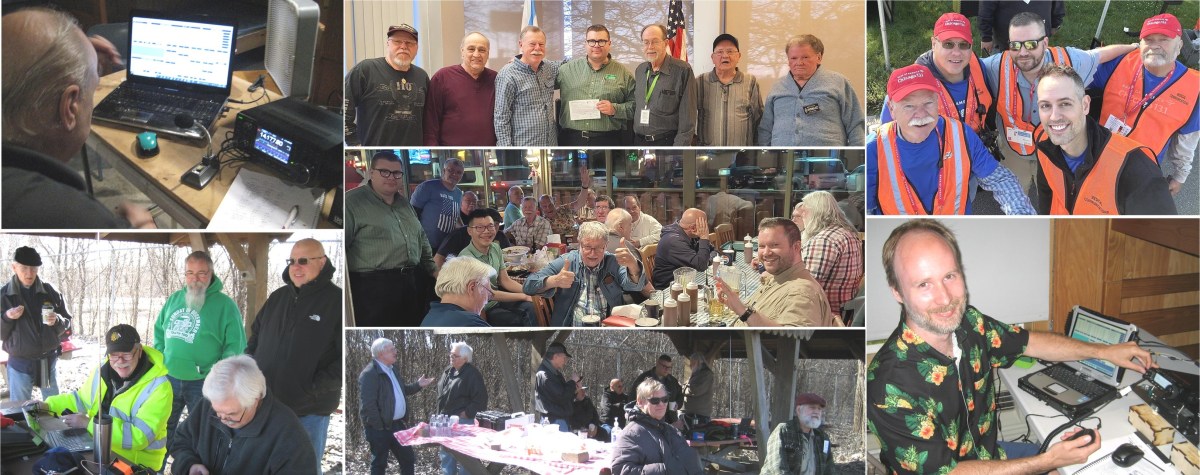
The biggest difference among the Clubs I have participated with is the culture; The way the members communicate, carry themselves, and interact. Just like with any other groups of folks that come together, there is some undefinable comfortability factor that makes folks choose to stay in that group.

Being a member of a local Amatuer Radio Club can offer many benefits to enhance your experiences and enjoyment of the Ham radio hobby. Many Clubs have classes and/or offer testing sessions to help you achieve or upgrade your license. Most Ham Radio Clubs welcome members of all levels of experience.

Most Clubs identify with their geographic area, city/town, or county, but may have members outside the immediate area as well. Annual Membership Dues are generally modest, in the $20 – $40 dollar range in my area. And, most Clubs nowadays have a Website and a Newsletter. Other similarities I’ve found in my local Clubs are that they are non-profit organizations, with a Constitution, Bylaws, elected officers, board of directors, and Committees to deal with various Club business. Most Clubs maintain at least one, if not several Repeaters; A minority of Clubs do not. Most Clubs have some level of social gathering which may include Monthly meetings, regular breakfast or lunch meet-ups and maybe a sprinkling of Special Events like Field Day or POTA outings. And like any Club, all the work done is voluntarily and by a small portion of the overall membership. That’s where the similarities end… I’ve found that the Clubs in my area are all a “bit different” in some dimensions.

Some Clubs fall into a category called “Repeater Clubs”. These clubs expend a lot of their resources in money and time to maintain their Repeaters and keeping them in operation.

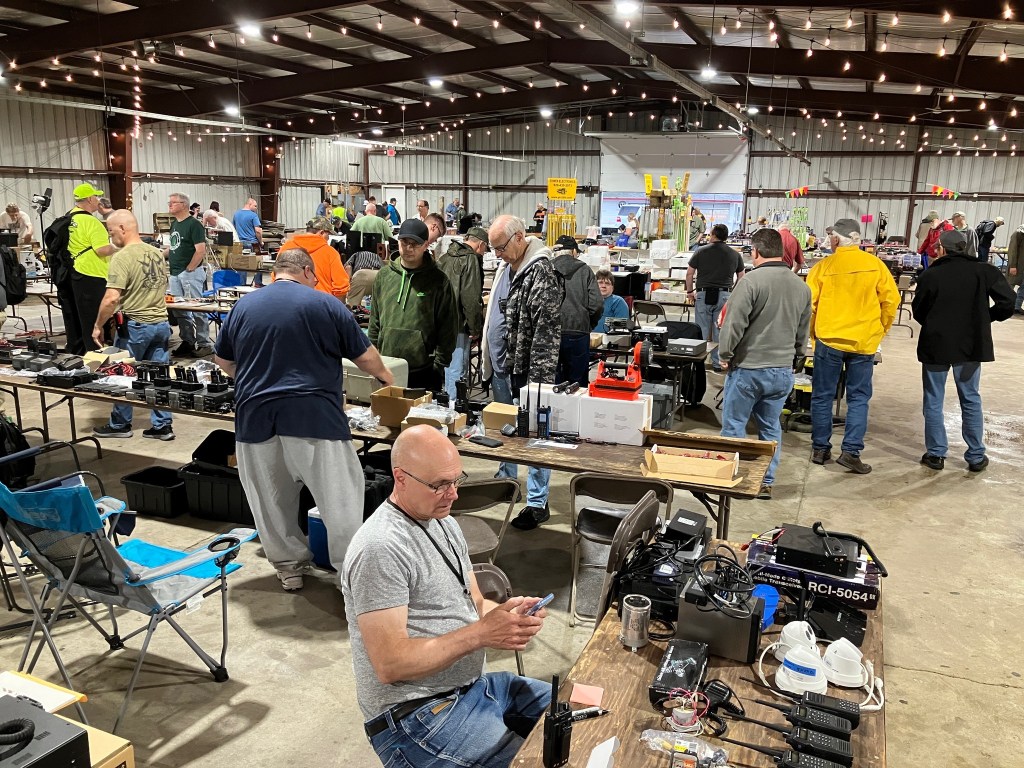
Some Clubs operate an annual Ham Fest, most do not. Putting on a large Ham Fest is a big undertaking from arranging the venue, food trucks, insurance, publicity, ticket sales, soliciting vendors and sponsors, etc., etc…

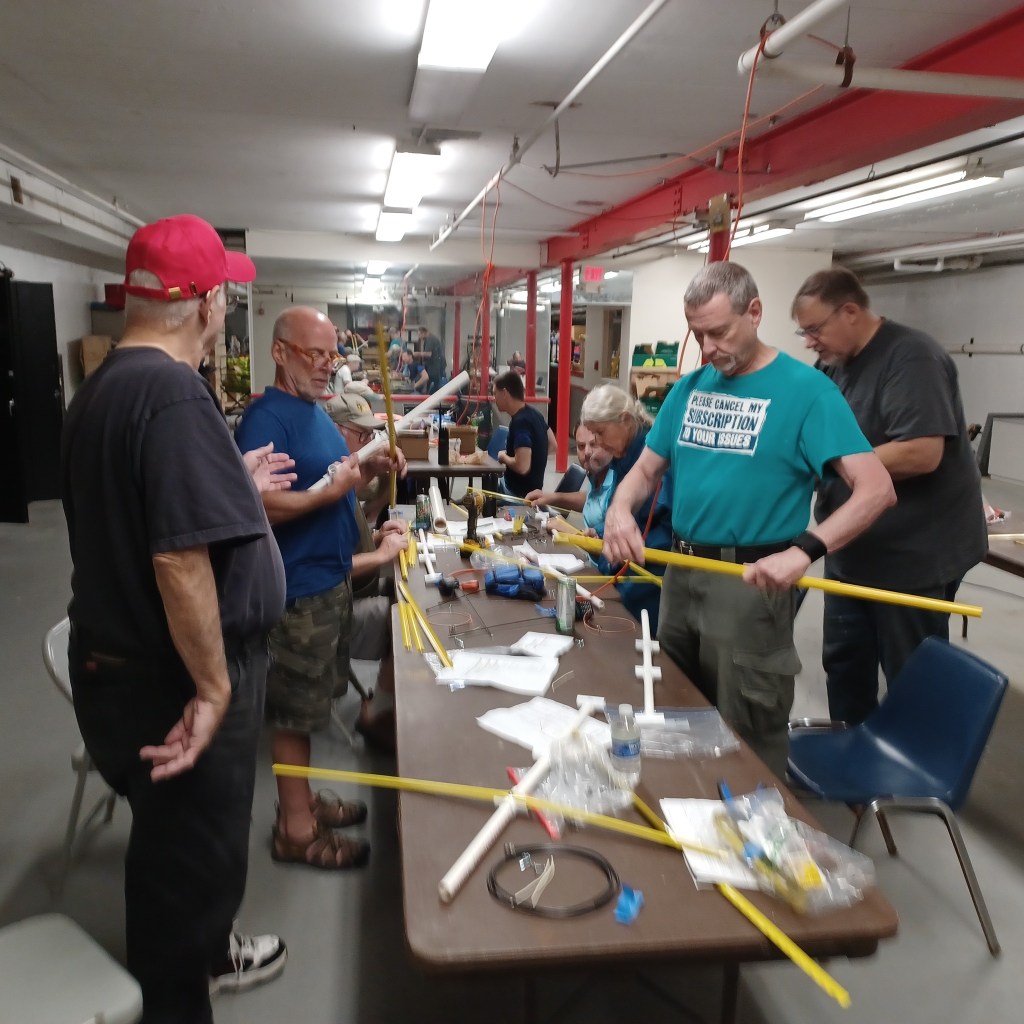
Some Clubs are more focused than others on the practice of the hobby itself and have activities for building/fixing Ham equipment or operating on-the-air. And, some may take a more serious approach to activities like Field Day than other Clubs.

The biggest difference among the Clubs I have participated with is the culture; The way the members communicate, carry themselves, and interact. Just like with any other groups of folks that come together, there is some undefinable comfortability factor that makes folks choose to stay in that group. Also note that a lot of Hams I know are in more than one or two Clubs; I’m in two myself. You may find different things you’re looking for in each.

The best way to get involved with a Club is listen to the repeater traffic or regular nets on VHF or UHF in your area, listen in and participate. Ask them what clubs are in the area and which they belong to. You can get to know the members before showing up at a meeting or event; You will be recognized and welcomed!

I’m fortunate that I live in a large metro area, and there are many clubs to choose from. If you’re in a rural area, your options may be limited. Many Clubs are “ARRL Affilliated”. You can search for one near you at: https://www.arrl.org/find-a-club

Not all Clubs are ARRL affiliates; It doesn’t mean they’re any better or worse. The Club membership just didn’t see the value in registering. To find these Clubs you’ll have to Goggle and see what’s out there.

I wish you the best of luck in finding a Ham Radio Club that you can engage with. It’s the greatest way to build friendships with like minded folks with a shared interest and the opportunity to socialize IRL (in-real-life), not just on-the-air.

Get Your Amateur Radio Operators License

In the United States, the FCC (Federal Communications Commission) issues amateur radio licenses. There are three main classes of licenses, each granting different levels of privileges:

1️⃣ Technician Class (Entry-Level)

Privileges: Access to VHF/UHF bands (2m, 70cm, etc.) and limited HF privileges (CW on 80m, 40m, 15m & SSB on 10m).
Requirements: A 35-question multiple-choice exam covering basic electronics, regulations, and operating procedures.
Best For: Local communication, emergency response, and digital modes like APRS and FT8 on VHF/UHF.

2️⃣ General Class (Intermediate)

Privileges: Expands HF privileges, allowing worldwide communication on most bands.
Requirements: Pass the Technician exam + an additional 35-question test with more technical and regulatory content.
Best For: DXing, HF digital modes, and participating in global ham radio networks.

3️⃣ Amateur Extra Class (Advanced)

Privileges: Full access to all amateur bands and frequencies.
Requirements: Pass Technician + General + a 50-question exam covering advanced electronics, antenna theory, and FCC regulations.
Best For: Dedicated hams wanting full frequency access and experimentation opportunities.


How to Get Licensed:

1️⃣ Study – Use books like the ARRL License Manual, online courses (HamStudy, QRZ.com), or apps like Ham Test Prep.
2️⃣ Practice Exams – Take free practice tests online to prepare.
3️⃣ Find a Test Session – Exams are administered by Volunteer Examiners (VEs) through ARRL, W5YI, or other groups.
4️⃣ Pass the Exam – Exams are usually in-person but some groups offer remote testing.
5️⃣ Get Your Callsign – The FCC issues your license and callsign within days via their website.

To assist you in obtaining your U.S. amateur radio license, here are some recommended study materials and information on finding local exam sessions.

Recommended Study Materials:

  1. ARRL Ham Radio License Manual (5th Edition):
    • This manual provides easy-to-understand sections and includes the latest question pool with an answer key, effective through June 30, 2026. It’s designed for self-study and classroom use. arrl.org
  2. HamStudy.org:
    • A free online platform offering flashcards, practice tests, and question pools to help you prepare for the exam. hamstudy.org
  3. ARRL Exam Review for Ham Radio:
    • An online tool that allows you to review chapters from the ARRL study manual and take randomly generated practice exams using questions from the actual examination question pool. arrl.org

Finding Local Exam Sessions:

To locate an amateur radio license exam session near you, can use the ARRL’s exam session search tool.

arrl.org

By entering your ZIP code, you can find upcoming exam sessions in your area. Please note that some sessions may require pre-registration, while others might accept walk-ins. It’s advisable to contact the session organizers ahead of time to confirm details.

Additionally, platforms like HamStudy.org provide listings of both in-person and online exam sessions.

ham.study

Remember to bring a valid photo ID, any existing FCC licenses (if applicable), a calculator without memory functions, and the necessary exam fee (usually around $15) to your exam session.

Good luck with your studies and exam! If you have any more questions or need further assistance, feel free to ask.

sBitx V3

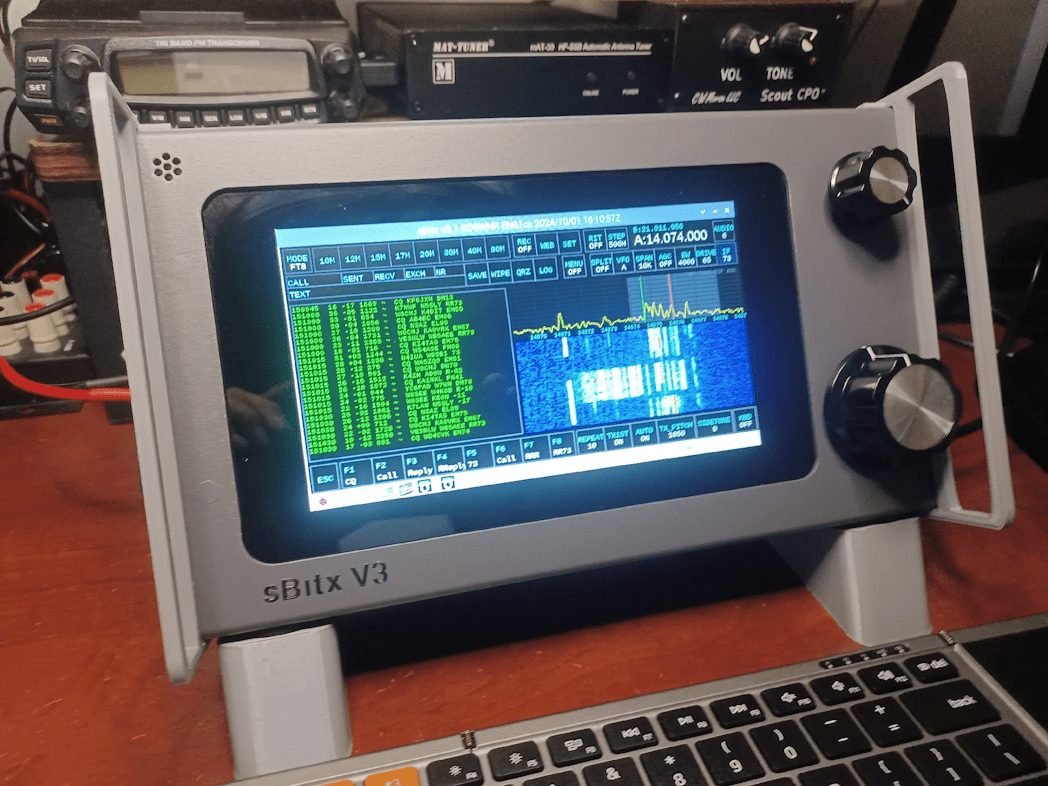
The sBitx V3 is a powerful, software-defined transceiver designed by Ashhar Farhan (VU2ESE). It builds upon the previous sBitx versions, offering a Raspberry Pi-based interface, a touchscreen display, and a user-friendly Linux environment for digital modes, logging, and radio control.


Pros:

🔹 All-in-One SDR Solution

  • Includes a built-in Raspberry Pi, touchscreen, and pre-installed software for digital modes like FT8, JS8, and FLDigi.
  • No need for an external computer for most operations.

🔹 Linux-Based Open-Source Platform

  • Can be customized and updated with new software features.
  • Encourages experimentation and development.

🔹 Multi-Band Coverage & Decent Power Output

  • Covers HF bands (80m–10m) with around 40W output on lower bands and slightly less on higher ones.
  • Suitable for both QRP and mid-power operation.

🔹 User-Friendly Interface

  • Large color touchscreen with an intuitive UI.
  • Supports waterfall display, logging, and digital modes directly.

🔹 Good for Digital & CW

  • Internal sound card eliminates the need for external interfaces for FT8 and other digital modes.
  • Low latency and good stability for CW operation.

Cons:

🔻 Still Maturing

  • Some software quirks and bugs, though updates are frequent.
  • May require occasional tweaking for optimal performance.

🔻 Not as Refined as Commercial SDRs

  • Filtering and receiver performance, while decent, may not match higher-end SDRs like the Icom IC-7300.
  • Some users report occasional RF interference and signal artifacts.

🔻 DIY & Tinkerer-Friendly, but Not Plug-and-Play

  • While prebuilt units are available, users may need to troubleshoot software or make minor hardware adjustments.

Best Use Cases:

Portable HF station – A self-contained setup without needing a PC.
Digital mode operation – FT8, JS8Call, and FLDigi work straight out of the box.
Home station for SDR enthusiasts – Offers a balance between DIY experimentation and ready-to-use functionality.

Verdict:

The sBitx V3 is a unique, all-in-one SDR transceiver that bridges the gap between open-source experimentation and practical ham radio use. It’s a great choice for those who enjoy SDR technology and digital modes but want an integrated, Linux-powered system. While not as polished as commercial SDRs, its versatility and hackability make it an exciting rig for tinkerers and portable operators.