Ham Radio Go-Box

A ham radio go-box is a portable, self-contained communications station designed for rapid deployment in the field. It typically includes a transceiver, power source, antenna connections, and essential accessories—all pre-wired inside a rugged case for easy transport and setup.

Go-Boxes have a wide appeal in the Amatuer Radio hobby among Hams that like portable operations. Hams that do POTA Activations, participate in Field Days, and even “preppers” all have an interest in a grab-and-go kit to get a station on-the-air quickly almost anywhere.

First step is to determine where and what your Go-Box will be used for primarily. A POTA station may need totally different transceiver capabilities from an Emergency Communication (EmComm) station. The choices are many…

  • Emergency Communications (EmComm): Supports RACES, ARES, CERT, and Skywarn operations.
  • Recreational Field Ops: Perfect for POTA (Parks on the Air), SOTA (Summits on the Air), and Field Day.
  • Training & Outreach: Great for demos, scout events, and community preparedness.

Maybe you have an “extra” transceiver you’ve decided to put into a Go-Box, or designing one from scratch… Either way, you’ll need to decide on a Radio first, and then decide on what you want connected to it…

  • What kind of Battery? How Big?
  • Do I need a Power Supply (if 115v is available)
  • Do I need a Computer port or should I have a PC Built-In?
  • Do I need an Antenna Tuner?

Once you’ve decided all the stuff you want or need to get “in the box”… It’s time to pick a Box. Ham radio go-boxes are commonly built using rugged, customizable cases like Pelican, Nanuk, and Gator rackmount cases. These offer durability, modularity, and protection for sensitive radio gear in field conditions. But a lot of creative folks make go-boxes out of Ammo Cans and Picnic Coolers.

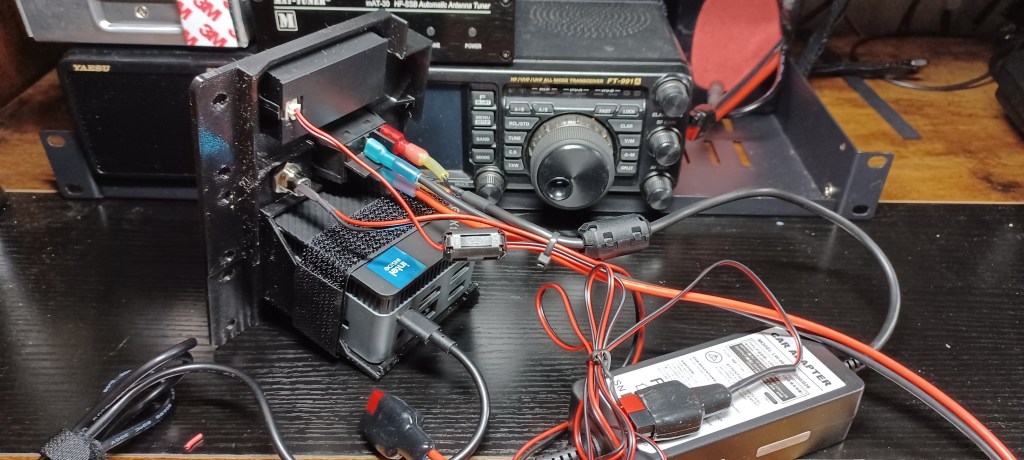
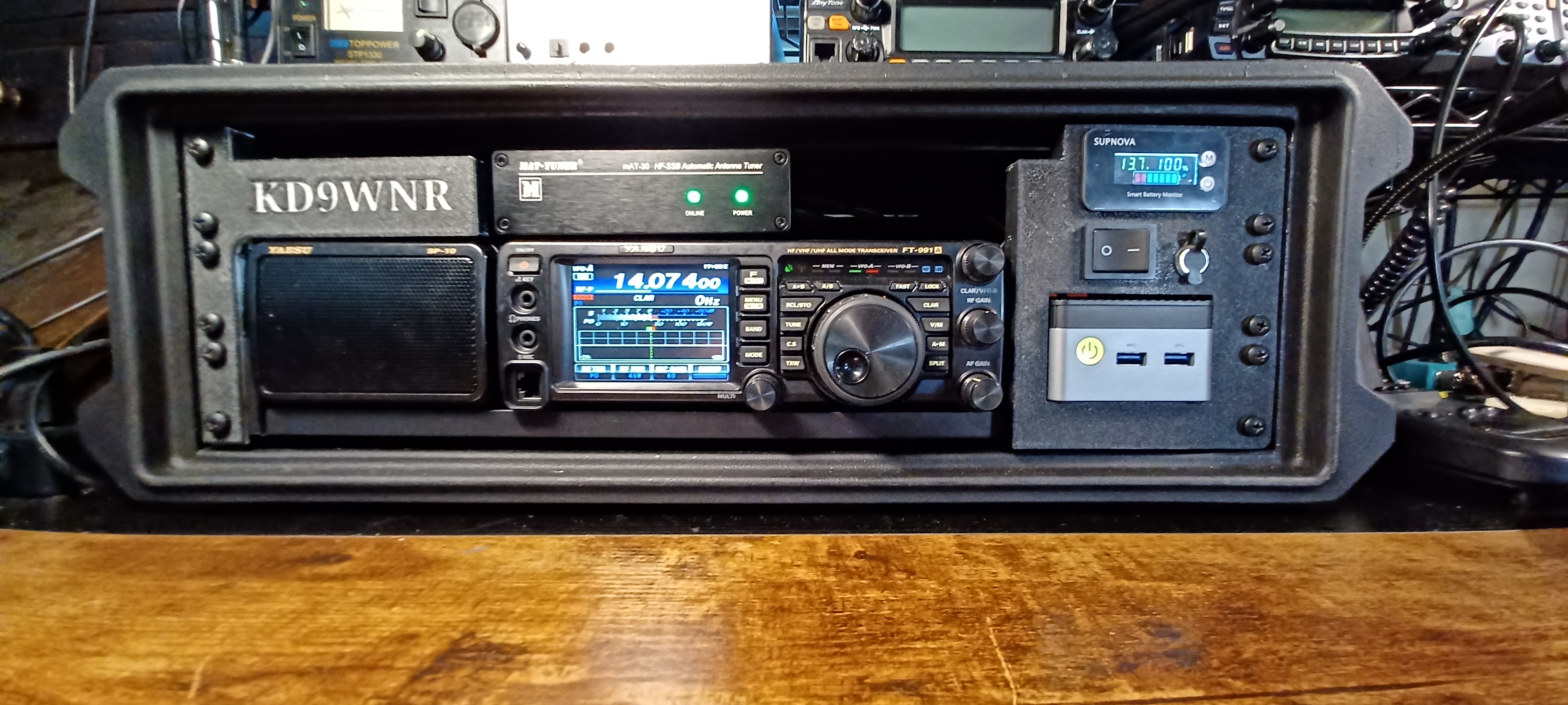
My first Transceiver was a Yaesu FT-991A; I later picked up a classic Kenwood TS-2000 that replaced the Yaesu as my primary Shack Radio, so I decided to re-task it for portable use.
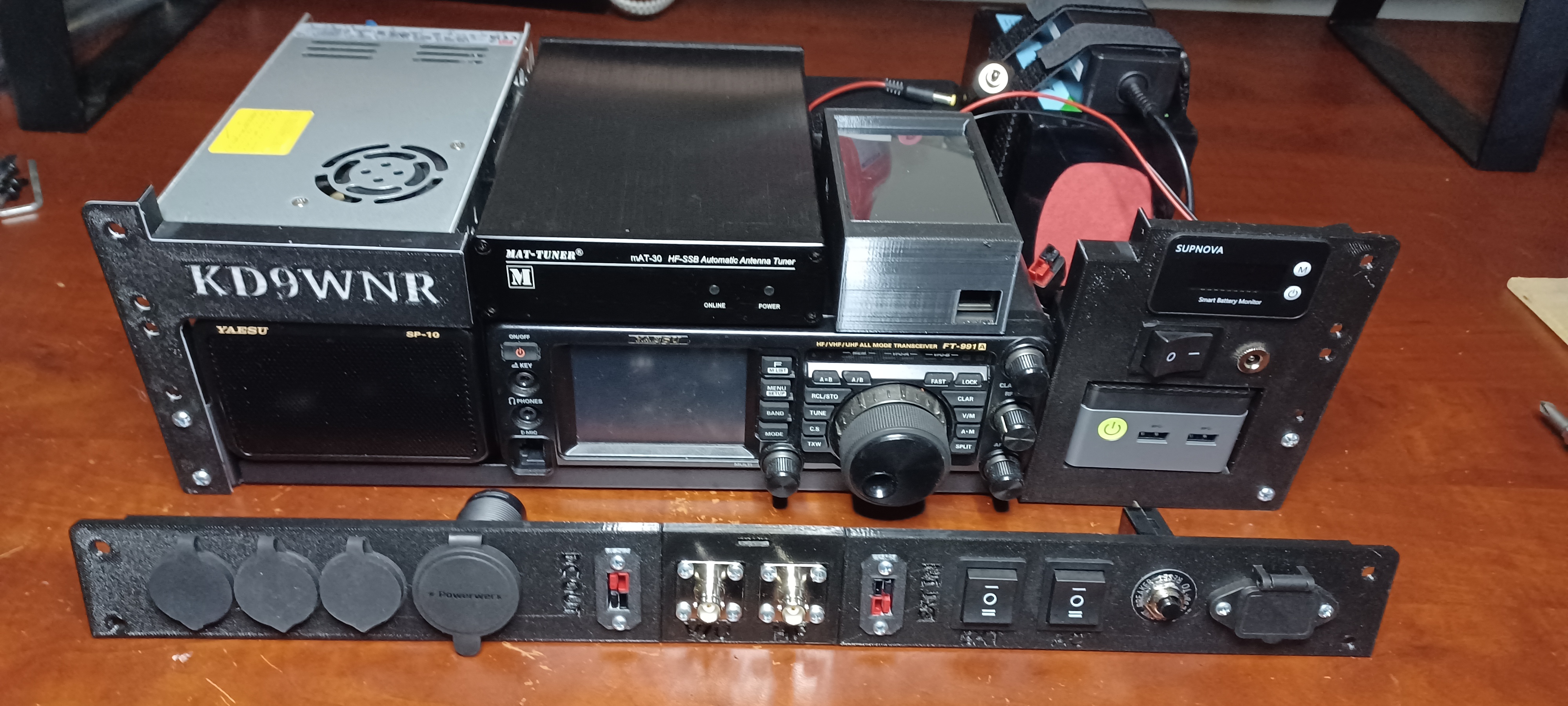
Here’s a peek at what’s inside my Go-Box… It all fits inside a Gator G-Pro 3U Shallow (13″) Rack Case:

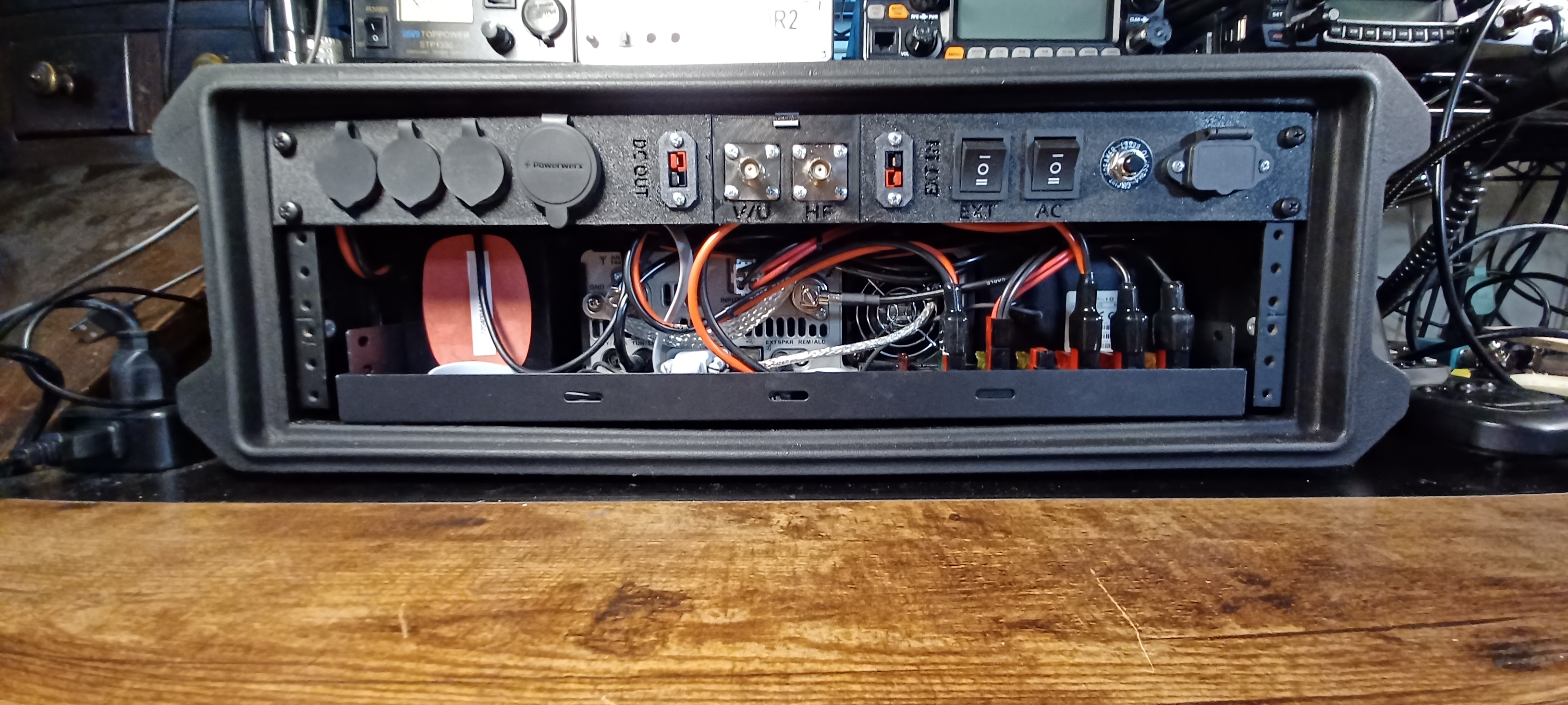
The 1U Rear Panel is 3D Printed. The STL files and details on the components used are here: https://www.printables.com/model/1485996-1u-go-box-rack-panel

Looking from the rear… There’s a USB Port connected to a Bi-Directional USB Switch. The Switch is also connected to the Mini PC and the USB Data Port on the FT-991a; This allows easy switching of the transceiver from the internal PC to an external Laptop or other device. Next to that is an HDMI Port extended from the Mini PC, and an RJ-45 Jack that connects to the transceiver CAT Port. The larger port is a Powerwerx 65W USB A/C Charger.
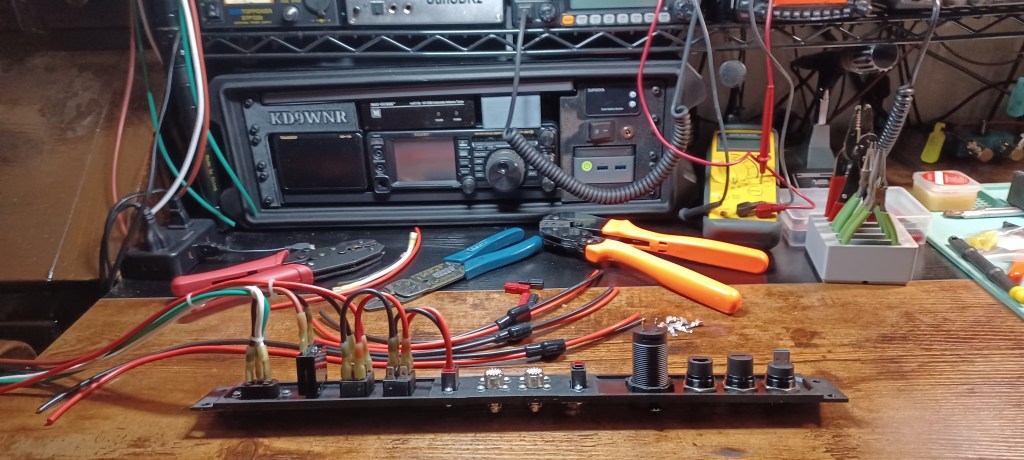
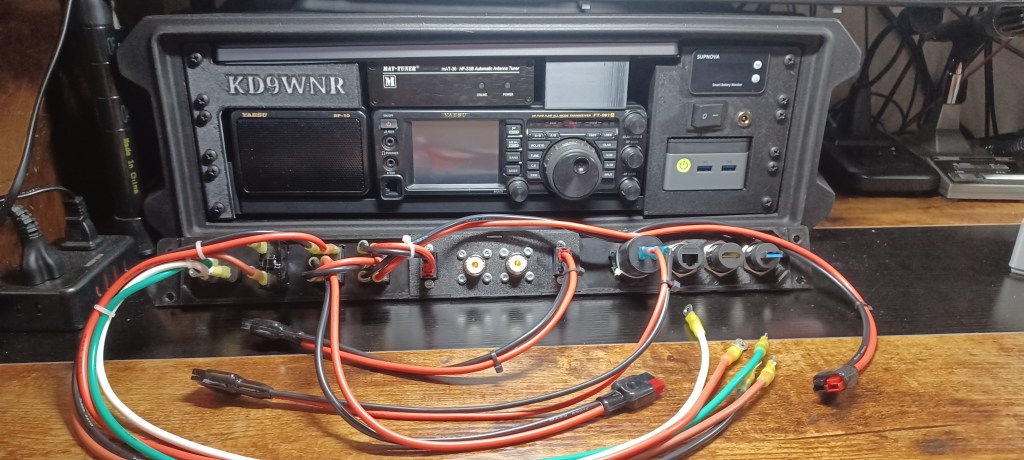
In the center are the Antenna Connectors, and Power Pole connections for an external DC source (IN), and Power Poles to power other devices (OUT) from the source selected on the Go-Box.

Starting on the right side, there’s an IEC 320 C14 Socket for a standard AC Power Cord. The Circuit Breaker is in-line to the Power Supply. The two Rocker Switches are used to switch Primary Power Source between AC or Battery, and Internal or External Battery.

A list with hyperlinks to all the components described above can be found, with the 3D Print files here: https://www.printables.com/model/1485996-1u-go-box-rack-panel 
What Makes a Go Box So Great

  • All-in-One Portability
    A go box packs radios, power, antennas, and accessories into a single rugged case—ready to deploy at a moment’s notice. Whether it’s a Pelican case, ammo can, or rack-mount system, it’s built for grab-and-go reliability.
  • Independent Power
    Most go boxes include LiFePO4 batteries, solar charge controllers, or DC power distribution, so you’re not reliant on the grid. That’s critical during blackouts, wildfires, or hurricanes.
  • Infrastructure-Free Communication
    Unlike cell phones or internet-based systems, ham radio doesn’t need towers or service providers. You can reach local responders on VHF/UHF or go global on HF—even when the grid is down.
  • Custom-Built for Mission Profiles
    Whether you’re doing Parks on the Air, storm spotting, or EmComm deployment, your go box can be tailored to your exact needs: APRS, digital modes, weather monitoring, or even mesh networking.
  • Field-Tested Readiness
    A well-designed go box isn’t just a showpiece—it’s meant to be used. Regular testing and real-world drills ensure it performs under pressure, not just on paper.
  • Training & Outreach Tool
    For Elmers, a go box is a powerful teaching aid. It shows new Hams how to build, operate, and troubleshoot a complete station—and it’s a great centerpiece for workshops or community events.
Parks on the Air (POTA): Overview and Guide for Beginners

Parks on the Air (POTA) is an international amateur radio award program that encourages licensed operators to visit and operate portable radio equipment from public parks. It grew out of the ARRL’s 2016 “National Parks on the Air” (NPOTA) event; after that one-year special event ended, volunteers founded POTA in early 2017 to continue the fun. The official POTA site describes its mission as promoting emergency communications awareness from national, state, or provincial parks: https://parksontheair.com/. Since then POTA has become wildly popular – Wikipedia notes over 325,000 participants worldwide. POTA awards are given for making contacts (“QSOs”) from parks, with points tallied by number of contacts, bands used, modes (voice, CW, digital), and other criteria. In short, POTA combines outdoor activity with radiosport, urging hams to “get out of the shack” and enjoy nature while practicing radio skills.

How POTA Works: Activators and Hunters

In POTA, an activator is an operator who sets up a temporary station inside a designated park and calls CQ POTA, while hunters (or “chasers”) are other operators who try to contact them. Activators typically announce their plans (often on the POTA website or social media) so hunters know when and where to listen. Any contact between a station in the park and any other licensed ham counts as a valid QSO (no special exchange beyond callsigns is required). When an activator logs at least 10 QSOs from the park in a single UTC day, the activation qualifies as complete. After the activation, the activator uploads a log file (in ADIF format) to the POTA website. The POTA system then credits each QSO to the activator and to the hunters, and updates award standings and leaderboards. (Hunters do not submit their own logs; they earn credit automatically via the activator’s log.)

Equipment and Portable Station Setup

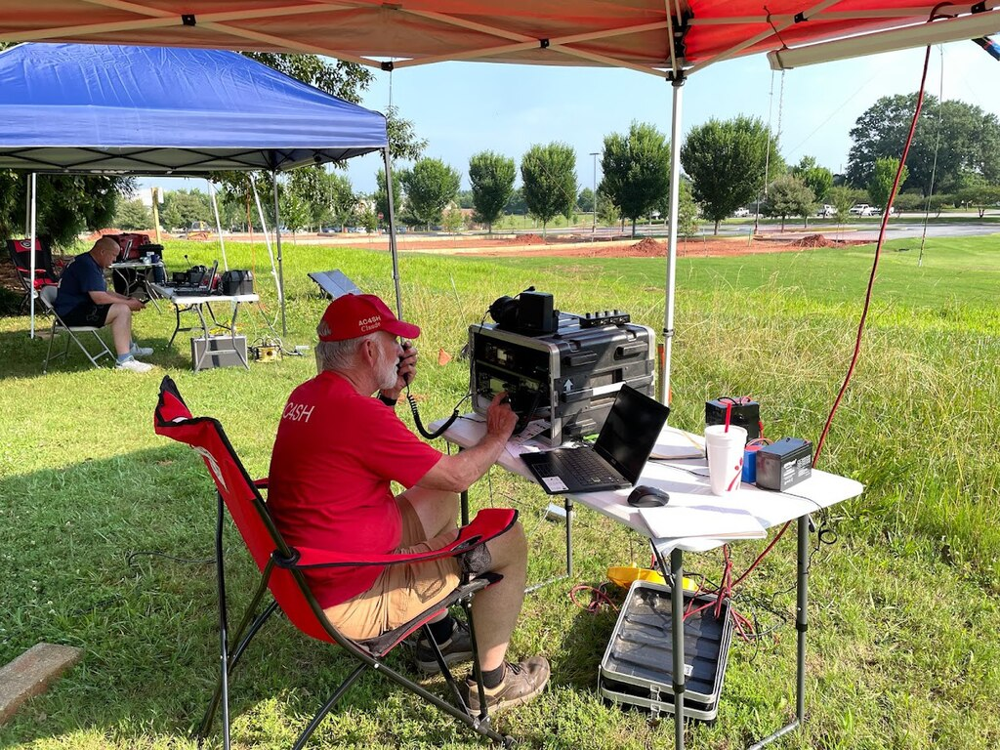
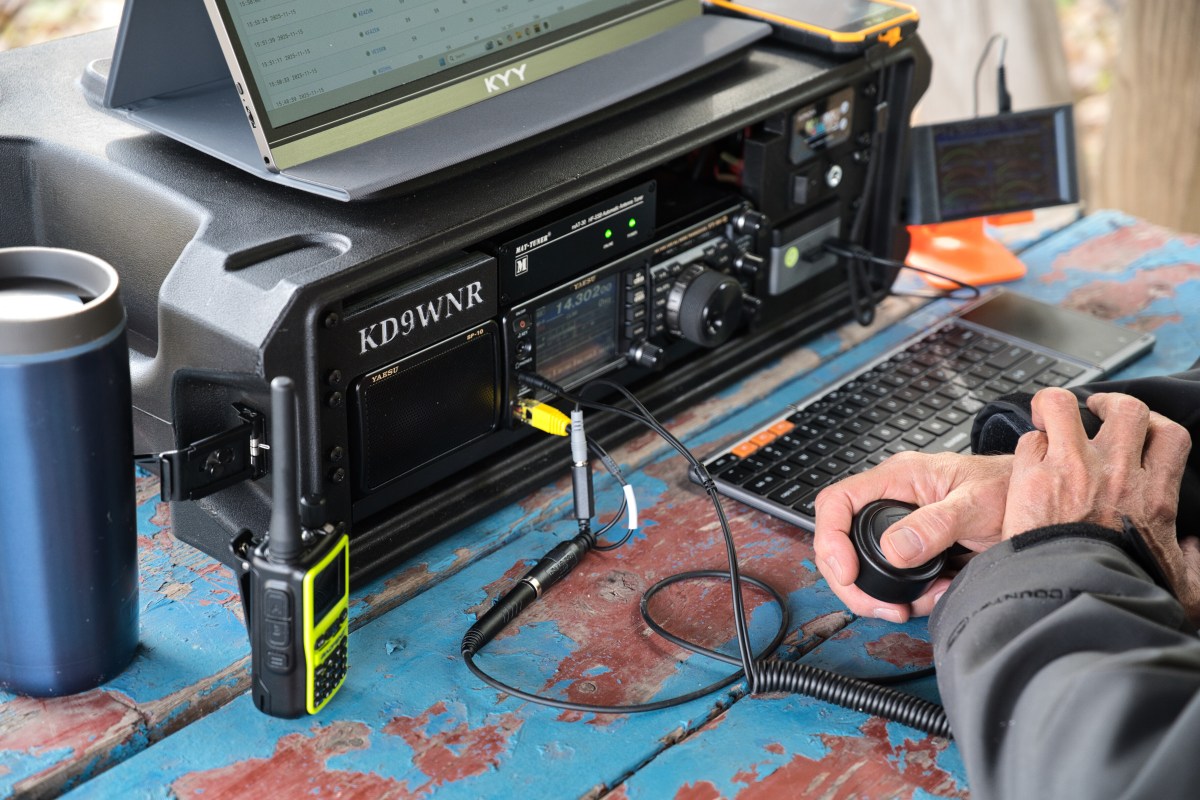
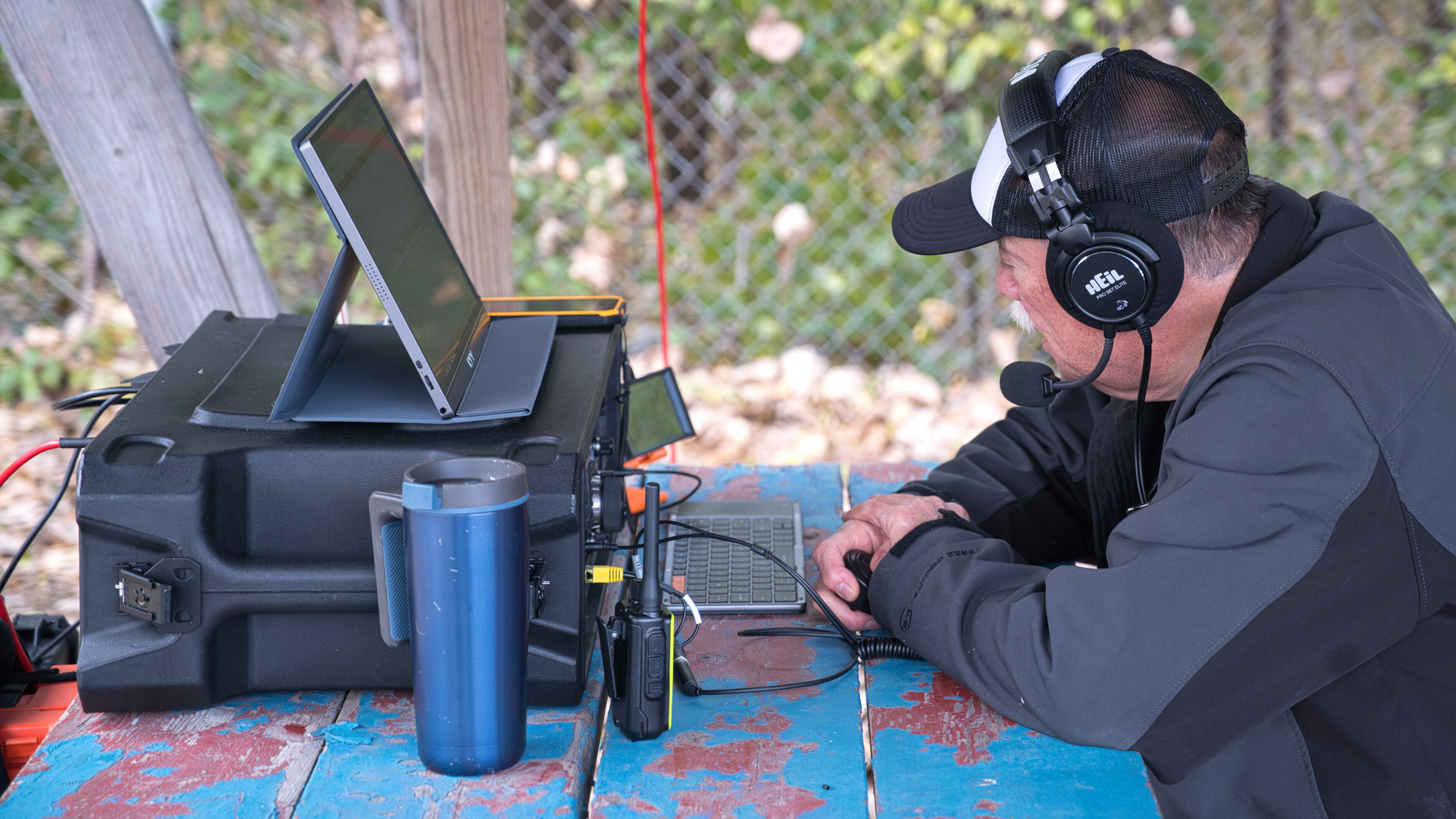
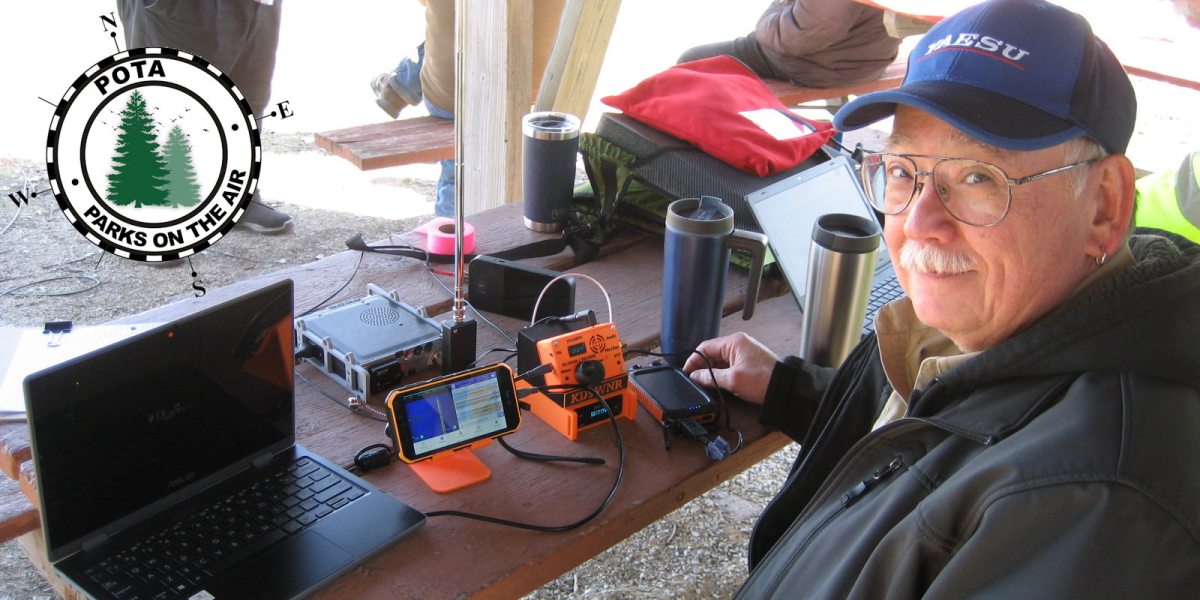
Activators usually pack lightweight, battery-powered gear for field use. A typical POTA station might include an HF transceiver or all-band radio, a 12V battery (or solar panel), a microphone or Morse key, and a portable antenna. The photo shows an example POTA setup under a canopy: a radio “go-box” on a table, a laptop for logging, a battery, and handheld antennas. Common antennas are whip-style or loop antennas that can be carried or tripod-mounted; some hams even throw wire antennas over tree branches using a fishing pole or kite. (The goal is to get a good antenna up while minimizing weight and respecting park rules.) Whatever equipment is used, it must stay within the park boundary. Activators often use shade (pavilions or canopies) and bring chairs, but always leave no trace when packing up. POTA emphasizes fun and learning – as the official guide notes, POTA is “an excellent way of developing your skills as a portable operator” (antennas, power, logging, etc.) – while also being courteous to other park users and staff.

Participating in POTA

  • Register and Prepare: Create a free POTA account with your callsign at the official POTA website https://parksontheair.com/, or directly at https://pota.app/#/. Review the POTA rules and guides on. You may also join the POTA Slack channel or Facebook group for help and announcements. Bring any necessary park permits or water/food for your outing.
  • Choose a Park: Use the POTA map (https://pota.app/#/map ) to find nearby eligible parks. The interactive map shows parks (yellow dots) by country or state; click to see park names and codes. Select a park and note its details (address, hours, permit requirements). Only official state or national parks are valid – private or city parks are not included.
  • Pack Your Gear: For a portable activation, essential items include a transceiver (HF/VHF), batteries (or solar), a field antenna, microphone/key, and logging tool (paper logbook or laptop/tablet). Bring antenna support (collapsible mast, tripod, rope), coax cable, and basic tools. A copy of the park boundary map and a watch (UTC time) are useful. Double-check that all gear is secured for transport.
  • Activate the Park: Drive or hike to your chosen park and set up at a suitable spot (picnic table or open area). Assemble your antenna and power up your radio. Call “CQ POTA” on a commonly monitored band (often 20m or 40m on HF, or 2m VHF/FM). Other hams (hunters) will respond with their callsigns and signal reports. You may also tune around and answer others calling CQ POTA. Continue making QSOs until you reach at least 10 contacts (required for a valid activation). You may operate on multiple bands or modes to work more stations. Remember to identify your station with your callsign and “POTA” as appropriate, and to operate politely (observe bandplans and DX code of conduct).
  • Log and Submit: Keep a log of each QSO with callsign, UTC date/time, band, and mode. You can log on paper and later enter into a computer, or use logging software (many activators use HamRS, ACLog, or similar). After the activation, export or create an ADIF log file with the required fields (your callsign, contact’s callsign, QSO date/time, band, mode). On the POTA website, go to your account and upload this log under the appropriate park and date. The system will reject any duplicate QSOs or invalid entries. Once uploaded, the POTA database credits each QSO toward certificates and awards for you (activator) and for the hunters on the other end.

Awards and Community

POTA offers a variety of awards and certificates to recognize participation. For example, there are awards for activating or hunting a certain number of parks, working all bands, or contacting many unique parks. These awards give operators extra motivation and track accomplishments. Besides awards, POTA is valued for community and learning: as one guide observes, it helps operators build skills in field radio, antenna design, power management, and more.

Useful resources include the official POTA website (https://parksontheair.com/) and its documentation (https://docs.pota.app/). The main portal (https://pota.app/#/) features an interactive map, an “Active Spots” page showing who is on the air, and your personal award status. For logging, many hams use programs like HamRS, ACLog, N1MM, etc., which can export ADIF for POTA. On social media and forums you’ll find advice on antennas (even ultralight “spooltenna” wire reels) and operating techniques. Ultimately, POTA is about having fun outdoors with radio, making worldwide contacts, and being a good ambassador for amateur radio in the parks.